

Published: November 20, 2025 | Last Updated: January 19, 2026

What is a complementary color scheme? Definition & Meaning
A complementary color scheme is a color pairing that uses two opposite hues on the color wheel to create strong contrast and visual balance.
How It Works in Film
Complementary color schemes rely on two hues that sit directly across from each other on the color wheel.

When you pair these opposites, each color becomes stronger and more defined. This contrast helps you build clean, readable frames.
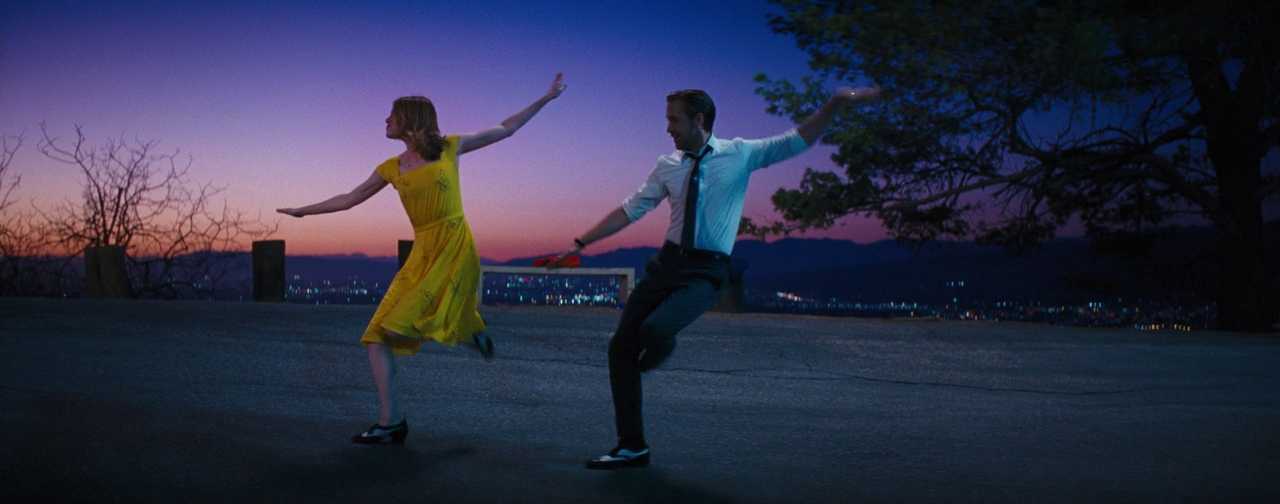
Common complementary pairs include:
- Blue/Teal and orange.
- Red and green
- Purple and yellow
Using one color as dominant and the other as an accent keeps the focus on the dominant color by limiting where and how the opposite hue appears. When both compete equally, the image can feel chaotic or visually cluttered.
You can download the popular orange-and-teal M31 LUT here.
Variations of Complementary Schemes
You can adjust a complementary palette to soften intensity or shift emotional tone. These variations still use color contrast while giving you more control over how the frame feels.

- Split‑complementary: One base hue paired with the two colors next to its opposite. This reduces harsh contrast while keeping visual interest and emotional tension.
- Double‑complementary (tetradic): Two complementary pairs used together. This creates a more varied mix of colors that can support multiple characters, environments, or themes across the film.
Color Models: RYB vs RGB

Different color models define complements in different ways, so it helps to know which system you’re working with. Traditional art uses the RYB wheel, while digital tools use RGB. RYB and RGB matter most for film.
- RYB: Blue pairs with orange, red pairs with green, and yellow pairs with purple.
- RGB: Digital complements shift: red pairs with cyan, green with magenta, and blue with yellow.
RYB is the color model most often used during pre-production (for things like concept art, set design, and costume planning) because it’s based on how physical pigments mix.
RGB is used in color grading tools like DaVinci Resolve and LED lighting systems because it defines how light mixes on screens. Since your film might be planned using RYB and finished using RGB, it’s important to know which model you’re working with so your complementary color choices stay consistent throughout the process.
Examples in Film
Complementary color schemes appear across genres. Each film below uses a simple set of opposites to create a clear visual identity and emphasize character or theme.
Mad Max: Fury Road (2015, Warner Bros.): Orange deserts and blue shadows separate the characters from their surroundings and make the action easy to follow.

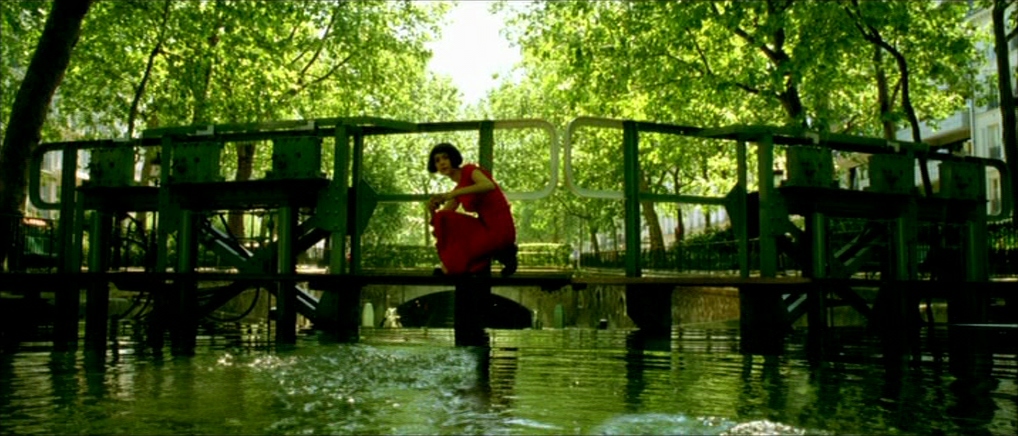
Amélie (2001, UGC-Fox): Red and green dominate the film’s stylized world and reflect the protagonist’s inner life and point of view.
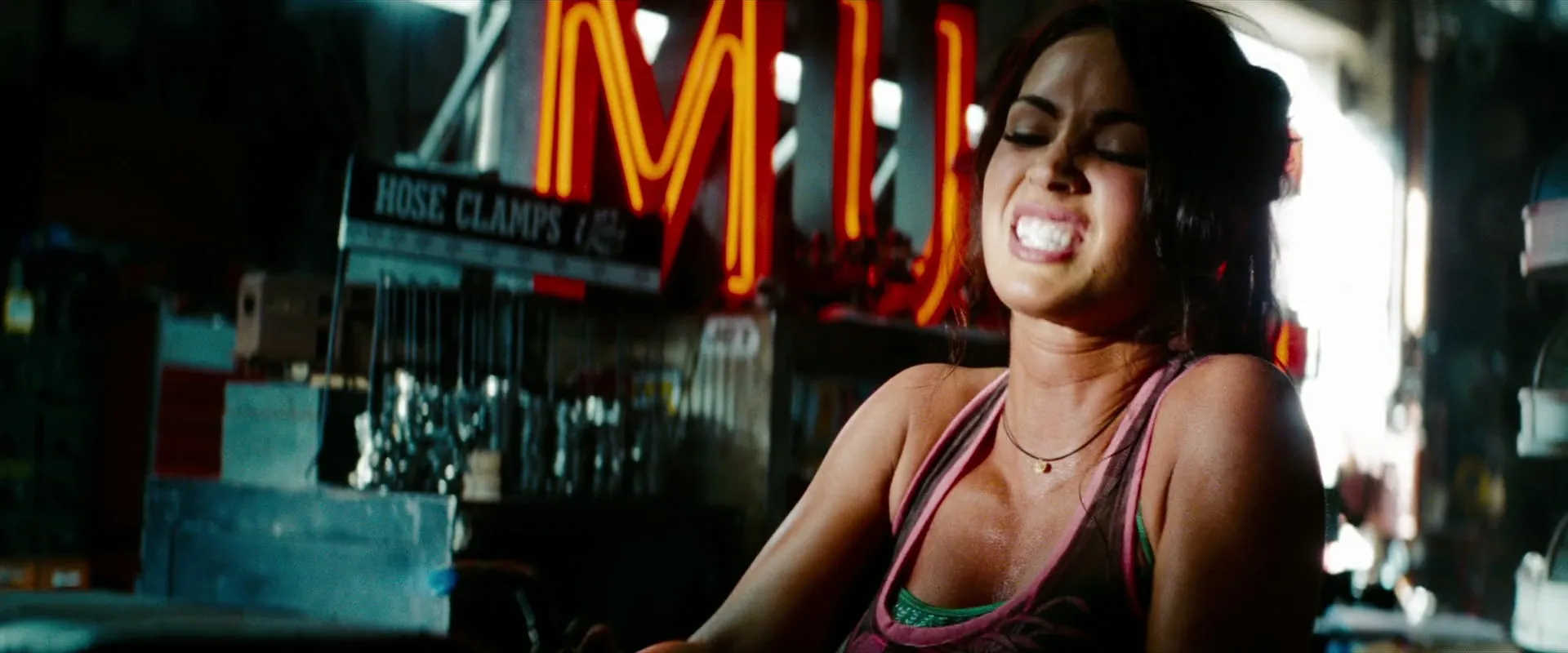
Transformers: Revenge of the Fallen (2009, Paramount): Teal and orange dominate the film’s color grade and separate the cool metallic environments from the warm skin tones, giving every action scene a crisp warm–cool contrast that defines the movie’s blockbuster style.
When and Why to Use Complementary Color
Complementary schemes help you create contrast that improves subject clarity and shows emotional conflict. They’re especially useful when you need the viewer to focus on a character, feel tension, or notice a shift in tone.
Use this approach when you want to:
- Make characters stand out clearly from the background
- Show emotional tension between two forces, moods, or ideas
- Underline internal conflict through color temperature contrast
- Build a color identity the viewer can follow from scene to scene, especially in stylized or action-heavy genres
Read more about color psychology in film.
Warm hues like red and orange feel intense, energetic, or inviting. Cool hues like blue and green feel distant, calm, or cold. Pairing opposites exaggerates these emotional effects and lets you increase tension, create emotional contrast, or highlight a character’s isolation or warmth.
Real‑World Challenges and Digital Solutions
It’s hard to maintain perfect complementary contrast on set. Light changes across the day. Reflections from walls or costumes can shift color balance. Practical lighting may interfere with your chosen palette.
To keep the color scheme consistent throughout shooting and editing, consider:
- Planning your palette early in pre-production
- Testing wardrobe and materials under actual lighting conditions
- Use lighting with the right color temperature so it doesn’t bounce the wrong hue onto skin, clothes, or props.
- Using color grading in post to restore the separation between the two hues
You can also change the scene’s energy level by making colors more vivid or more muted. Highly saturated pairs feel bold and grab attention. Muted or pastel versions create a softer, more balanced tone.
If the full contrast feels too strong, toning down one color helps you stay in control without losing the structure of the palette.
Tips for Getting It Right
Complementary color works best when you plan early and coordinate across all departments. These steps help you keep the visual contrast consistent and purposeful.
- Pick a dominant hue: Let one color define the scene or character design.
- Use the complement as an accent: Guide the eye without competing with the main color.
- Match your color model: Use RGB for digital workflows and RYB for traditional references.
- Balance saturation and brightness: Adjust intensity based on the tone and pacing of the scene.
- Coordinate early: Align choices across costumes, set design, lighting, and color grading from the start.
Summing Up
Complementary color schemes give you a reliable way to create strong contrast, guide attention, and reinforce what a character feels or how intense the scene should feel to us. When you pair two opposite hues with control and purpose, your film’s color becomes part of the meaning, not just the style. The key is planning early, staying balanced, and using each color to support what matters in the frame.
Read Next: How do you design the look of a film?
Visit our Production Design section to learn how sets, props, and color palettes support story, character, and tone from the start.
Want the full picture? Explore the Pre-Production archive for everything that happens before cameras roll—from visual planning to script breakdowns.
