

Published: December 2, 2025 | Last Updated: December 11, 2025

What is Post-production in film? Definition & Meaning
Post-production is the stage of film production where you edit picture and sound, add visual effects, grade color, and prepare final deliverables after filming or animation is complete. It’s how you turn raw footage, audio, and graphics into a finished film ready for release.
Once you wrap the shoot, the work doesn’t stop. In post-production, you choose takes, cut scenes, fix audio, balance color, and get every version ready for playback on cinema screens, streaming platforms, or social media. Most of the final polish happens here, e.g., timing, rhythm, clarity, and tone. This is where your film takes its final shape.
Ingest and Backup

The first step is to copy all footage and sound to a secure system. You need at least two backups, ideally on drives stored in different places. I always keep at least one on an external hard drive and one in the cloud.
Tip: Organize files by shoot day or scene number. Use clear names like “SC03_TK04_CamA.mov.” Add metadata for lens, take, or notes.
That structure saves hours later. Many teams also create proxy files so editors can work on lighter machines or cut remotely.
Editing: Building the Film
Editing shapes the structure and emotional flow of your film. Every cut affects pacing, energy, and clarity. Shortening a scene changes its impact. Rearranging shots changes what viewers understand. Holding a reaction shot longer can build tension. Small changes in timing make a big difference.
Read more on editing techniques in film.
The Editor’s Role
Film editors review all footage, choose the best material, and shape it into a working timeline. They build scenes, test flow, and flag missing coverage or continuity issues. Editors often work during the shoot so problems can be fixed early, before the chance is gone.
Assembly to Picture Lock
The process starts with audio and video sync, followed by a full assembly cut. This version includes every scene in script order. The rough cut trims scenes and tests pacing.
The fine cut adjusts timing, transitions, and shot choices until the film feels right. When the team agrees the edit is final, you reach picture lock. At that point, no more changes can be made to shot order or length. Locking the picture keeps every downstream step stable.
Online vs Offline Editing
Most teams work offline at first, using proxy files so the timeline stays fast and responsive. Proxy editing lets you try ideas without delay. After picture lock, the workflow switches to the online edit. The project reconnects to full-resolution media for color, sound, VFX, and final export.
Here’s a guide on working with proxy files in Premiere Pro.
The terms offline and online come from older post-production language. They describe resolution, not internet storage or cloud access.
Online Edit and Conform
The online edit includes a conform pass, which ensures every transition, speed change, and cut matches the locked version exactly. You also check for errors such as flash frames, sync problems, or missing shots so the final master is clean.
Read more on how to back up and share projects from Premiere Pro.
Sound in Post-Production

Sound editing fills out the world of the film by shaping every element the viewer hears. It makes dialogue clear by removing noise, fixing uneven levels, and matching the tone of each line across cuts.
Sound editing adds mood by choosing specific effects, ambiences, and transitions that guide how you feel in each moment. It keeps scenes connected when the camera moves fast by smoothing edits, matching backgrounds, and creating a steady sense of space so nothing feels broken or abrupt.
Dialogue Editing and ADR
Dialogue editors remove noise, clicks, and background hum. They fix rough transitions between takes and help lines flow naturally. If a line is unusable, ADR is used.
ADR stands for Automated Dialogue Replacement; actors re-record the line in a studio to match lip movement and tone. Voiceover is similar but doesn’t need sync. It often explains things over footage, like narration or context.
Sound Design and Foley

Sound design adds texture. Texture in sound design means the small details that give the audio its “feel.” This could be whooshes, drones, engines, or abstract tones.
Foley adds physical detail, such as footsteps, clothing rustling, or object movement. These layers make each scene feel more alive. They also help fill gaps where production sound didn’t capture everything clearly.
Music and Final Mix
Music can build emotion, control energy, or signal a shift in tone. In post, you decide when cues start and stop, and how music sits under dialogue.
In the final mix, re-recording mixers balance all elements, dialogue, music, effects, and ambient sound.
They also check that your mix fits platform loudness rules, so it doesn’t sound too loud or too quiet compared to other content.
Color Correction and Grading

Color work fixes visual problems and adds style. It helps scenes match, highlights emotion, and supports the tone of the story.
Correction and Matching
Color correction fixes exposure, white balance, and skin tones. This step makes sure every shot in a scene looks consistent, even if different cameras or lighting setups were used. Matching is about keeping the look clean and connected, so nothing distracts from the action.
Creating a Look
Grading gives your film a distinct visual style. You can make different scenes feel warm or cold, faded or sharp, or apply a full color theme. A color theme is the bigger concept that guides mood, meaning, and visual identity across the whole film. It includes the color palette, the color scheme, and the motivation behind your choices.
The look should support genre and mood. Good grades are often planned early in pre-production, so lighting and wardrobe already fit the plan.
Read more on the differences between color grading and color correction.
Versions for Different Screens
Colorists often create one version for theaters and another for home or mobile viewing. Each screen type handles brightness and contrast differently. Test exports help avoid crushed shadows, blown highlights, or color shifts on unfamiliar displays.
Visual Effects and Graphics
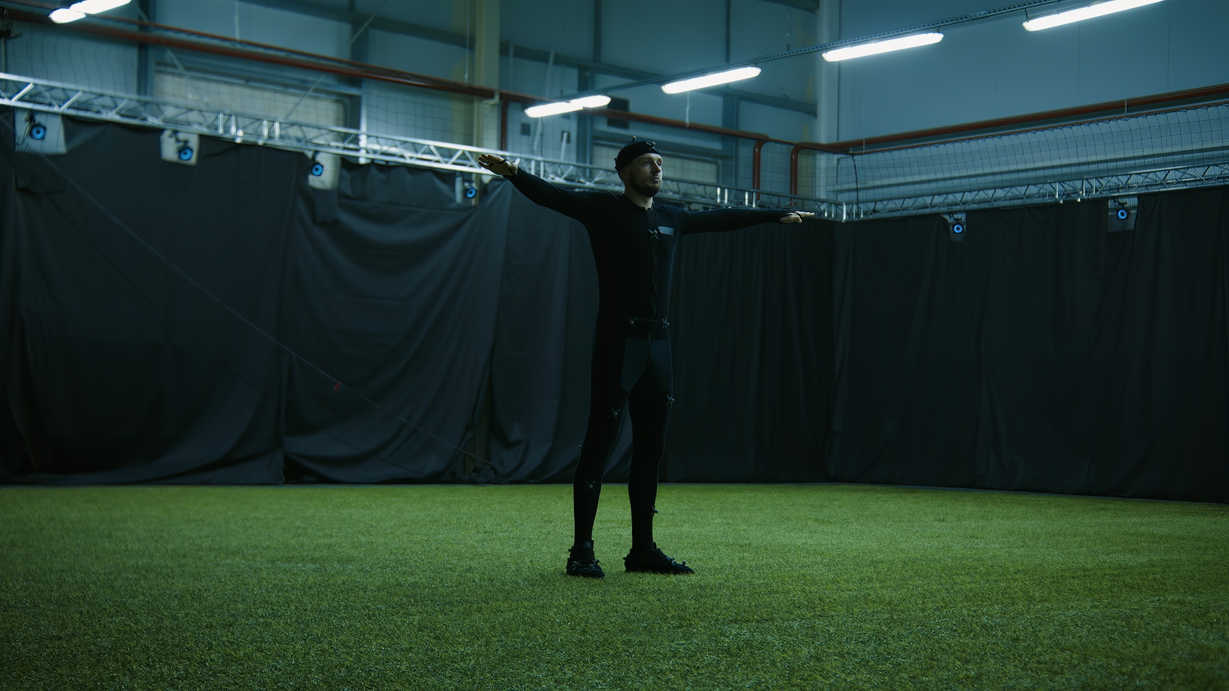
Visual effects (VFX) can be minor fixes or large-scale CGI. Motion graphics and titles are also finished in post.
VFX Tasks
Common tasks include wire removal, screen replacements, set extensions, and compositing. Bigger projects may need digital crowds, creatures, or vehicles. You need clean plates, which are shots of the scene without actors or props, so the VFX team has a blank background to work with.
You also need accurate camera data, like lens information, focus distance, height, and movement. This data helps the VFX team match the real camera inside their software. When you have both, the work becomes faster, and the final shot looks natural.
Titles and Subtitles
Post is also where you create titles, lower-thirds, subtitles, chyrons, and on-screen graphics. These help with structure, context, and accessibility.
Subtitles and captions are built after picture lock and audio mix. You may also need clean versions without text for sales and international delivery.
Final Deliverables and Formats
When the edit, sound, and color are finished, you build all the versions you need for release. These are called deliverables.
Masters and Stems
The final export is usually a high-quality mezzanine file, such as ProRes or DNxHR. A mezzanine file is a master that sits between your original camera files and the smaller streaming versions. It keeps strong image quality with light compression, so you can create review files and platform-specific deliverables without losing detail.
You also export audio stems, i.e., separate files for dialogue, music, and effects. Stems let you create alternate language dubs or trailers later without rebuilding the entire mix.
DCPs, Broadcast, and Streaming
Theatrical release requires a Digital Cinema Package (DCP). Broadcasters and streamers each have their own delivery specs: file format, loudness, color space, resolution, and safe zones for graphics.
You run a final quality control (QC) check to catch technical problems. If the file fails QC, delivery may be delayed or rejected.
Marketing Assets
Many promotional pieces are cut during post. These include trailers, teasers, posters, vertical social clips, and more. Festivals and distributors often ask for an electronic press kit (EPK) with selected clips, stills, and director notes. You can plan for these during the edit to avoid extra work at the end.
Archiving
After delivery, archive your project. This includes original media, project files, mix sessions, graphics, and final exports.
Keep copies in multiple physical locations. Good archiving protects the work and lets you create remasters, new versions, or trailers in the future.
Legal & Distribution Deliverables
Beyond exporting the final film, professional post-production often includes required legal and distribution documents:
- Music cue sheets (for rights clearance)
- Dialogue lists & spotting sheets (for dubbing/subtitles)
- E&O Insurance reports
- Chain of title documentation
- Final script (as shot)
- Closed captions & subtitles
- Audio stems & M&E (Music & Effects) tracks for international delivery
Distributors and streamers like Netflix or Amazon may require specific formats (IMF packages, ProRes masters, etc.), so planning these in advance is crucial.
Key Post-Production Roles
Depending on your project size, you may wear many hats or work with full teams. These are the main post-production roles:
- Editor: Cuts the film from assembly through picture lock.
- Assistant editor: Handles file ingest, syncing, and organization.
- Colorist: Corrects and grades the final image.
- Dialogue editor: Cleans and preps spoken lines.
- Sound designer: Adds creative effects and textures.
- Foley artist: Records object and movement sounds.
- Re-recording mixer: Balances final audio mix.
- Composer / music supervisor: Scores original music or sources licensed tracks. Read more on music scoring for film.
- VFX supervisor: Plans and manages visual effects shots.
- Post supervisor: Manages workflow, budget, and delivery timeline.
Planning Post-Production Early
The best time to plan post is before you start shooting. Lock in frame rate, resolution, codecs, folder structure, and metadata rules during prep. Bring in your post team early if the film includes heavy sound, VFX, or complex delivery requirements.
Allow enough time for notes and reviews after the rough cut, after early mixes, and after grading. Build that time into the schedule. Agree on tools for review (like Frame.io or Vimeo), file naming conventions, and how you’ll share proxies or exports with the team.
Handing a Project Over
When you hand a project from one department to another, include a clear turnover package. This usually has:
- A reference export so they can see what the current cut looks like
- A timeline or XML/EDL file so they can match cuts and sync accurately
- Audio stems (dialogue, music, effects) so they can mix without missing pieces
- Written notes that explain your goals, not just problems
Good notes explain your goal, not just a problem. Instead of “music too loud,” say “lower music 3 dB so the breakup line is clearer.” That level of detail keeps the team aligned.
Common Challenges in Post-Production
While post-production is essential to bringing a film to life, it’s also where many filmmakers encounter delays, budget overruns, or technical headaches.
- Underestimating time and cost – Editing, VFX, and sound can take weeks or months depending on complexity. Rushed deadlines lead to compromises.
- Poor file organization – Unlabeled footage, inconsistent folder structures, or missing metadata slow down editing and may result in rework.
- Incompatible formats – Footage from different cameras or audio recorders can cause syncing or rendering issues.
- Feedback loop overload – Too many revisions or conflicting stakeholder opinions can stall progress.
- Limited storage & backups – Working with 4K+ footage eats up disk space fast. Not backing up can be catastrophic.
Planning for these challenges ahead of time helps teams stay on track and protect the final product.
Indie vs Studio Post-Production
Post-production workflows can vary greatly depending on the budget and team size.
Studio Productions:
- Have specialized departments: editors, sound designers, colorists, etc.
- Use high-end tools like Avid Media Composer, DaVinci Resolve Studio, and Pro Tools HD.
- Work with large teams, strict deadlines, and defined QC pipelines.
Indie Films:
- Often rely on one person doing multiple tasks (e.g., director also edits).
- Use more accessible tools (e.g., Premiere Pro, Final Cut, DaVinci Resolve Free).
- Flexible workflows, but face more time/storage/budget constraints.
Both environments share core principles, but the tools and team structures differ.
Popular Tools for Post-Production Tasks
Here’s a breakdown of common software tools used in post:
| Task | Tool(s) |
|---|---|
| Video Editing | Adobe Premiere Pro, Final Cut Pro, Avid Media Composer, DaVinci Resolve |
| Color Grading | DaVinci Resolve, Baselight |
| Audio Editing / Mix | Avid Pro Tools, Adobe Audition, Reaper |
| VFX / Motion Graphics | Adobe After Effects, Nuke, Blender |
| Subtitles / CC | EZTitles, Subtitle Edit |
| Asset Management | Frame.io, Wipster, Kyno, CatDV |
Choosing the right tools depends on your budget, workflow, and team experience.
Summing Up
Post-production is where your film becomes complete. It’s the phase where you cut the story, fix the sound, finish the color, and create every version needed for release. When you plan early, stay organized, and give each step the time it needs, you finish with a clean, watchable film that’s ready for any screen.
Read Next: Want a smoother post-production workflow?
Explore our full Post-Production hub to learn how picture editing, sound, color, VFX, and deliverables work together after the shoot.
Take a closer look at Color Grading to learn how tools like scopes and LUTs help you control contrast, tone, and the final look of your film.
You can also visit our Editing section for guides on timelines, sync, project setup, and how to structure your cut from rough to final.
