

Published: November 11, 2025 | Last Updated: December 11, 2025

What is CGI in film? Definition & Meaning
CGI, or Computer‑Generated Imagery, is the use of computer graphics to create or manipulate visual elements in a film. CGI can generate characters, environments, objects, or entire scenes (like dragons for fantasy, alien worlds for sci-fi, or large-scale destruction) that would be impossible, dangerous, or too expensive to film in real life. It often blends with live‑action footage to create a seamless final image.
How CGI Works
CGI follows a multi-step process that starts in 3D design software and ends with compositing digital elements into live footage. It’s often used alongside physical sets and actors.
Here’s a simplified version of how it works:
- Modeling: Artists create 3D shapes using software like Blender or Maya. Typically, this involves…
- Hard-Surface Modeling/Box Modeling, where you build shapes piece by piece by adding, extruding, scaling, and moving faces, edges, or vertices.
- Sculpting, where you start with a base shape (like a sphere or cube) and push, pull, smooth, or carve the surface (like a piece of clay). Sometimes this is done in dedicated software such as ZBrush or Nomad.
- Texturing and Lighting: Surfaces are colored, textured, and lit to match real-world materials and light sources.
- Animation: Movements are added, either manually by an animator or through motion capture from live actors.
- Rendering: Computers calculate how each frame should look based on shadows, reflections, and camera angles.
- Green screen (also called chroma keying) is often used to shoot actors or props against a solid color, usually bright green. This allows the background to be removed digitally and replaced with CGI environments or digital extensions. For example, scenes on alien planets or inside flying ships are often filmed on green screen stages, with all the scenery added in post-production.
- Studios now also use LED volumes (large curved walls of LED screens) to display CGI environments during filming. These setups, part of what’s called a virtual production stage, let filmmakers capture realistic lighting and movement in-camera without using green screen. Unreal Engine is often used to render these digital backdrops in real time.
- Compositing: CGI elements are layered into live-action shots, matched with the original lighting and camera movement so they blend naturally.
A Short History of CGI in Film
CGI has evolved over several decades, starting with simple experiments and gradually becoming a standard tool in filmmaking. Here are key moments in its development:
1960s–1970s: Early wireframe graphics and digital imagery were used in short films and labs.
1973: Westworld used digital pixelation effects to simulate android vision.

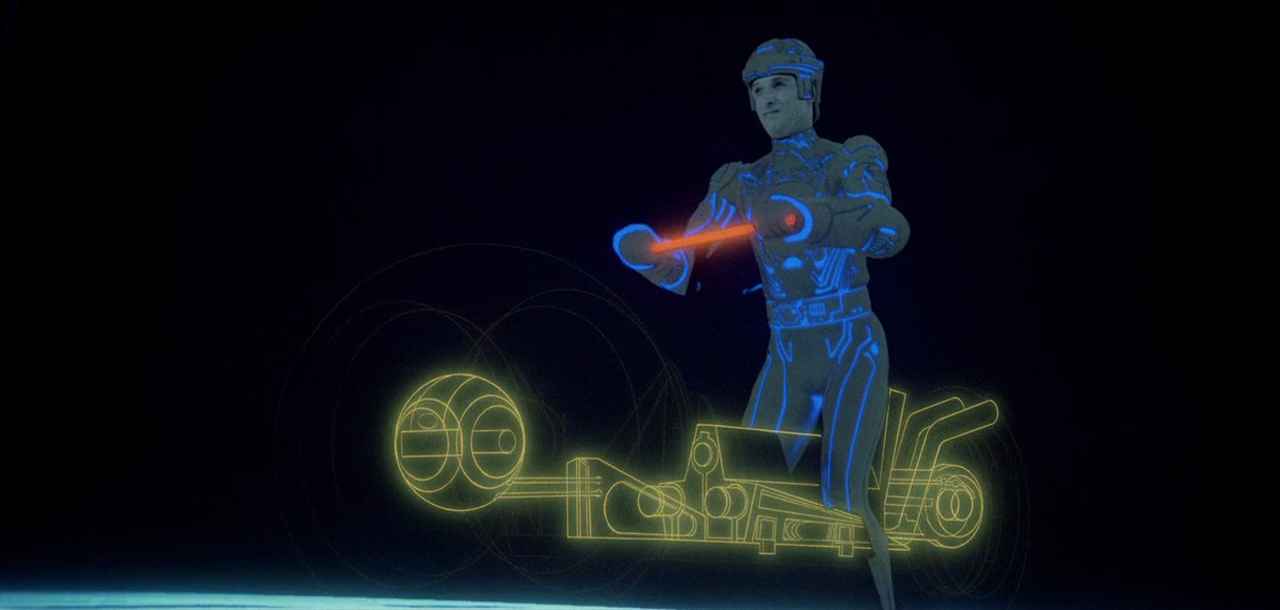
1982: Tron pushed digital animation into mainstream cinema with stylized computer-generated game environments combined with rotoscoping.
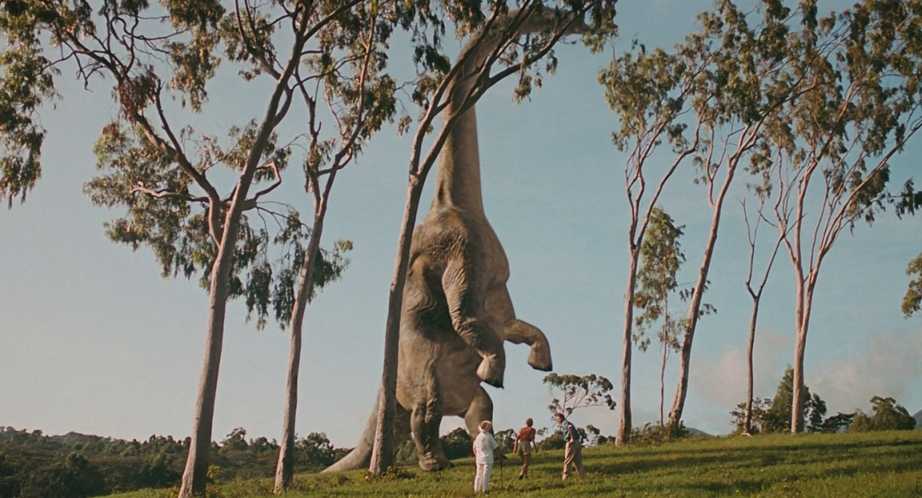
1993: Jurassic Park used CGI to animate dinosaurs in ways animatronics couldn’t, setting a new standard for realism.
2000s–Today: Entire films now use CGI to build digital worlds, simulate large battles, and extend physical sets with photo-real effects.
What CGI Can Do: Film Examples
CGI can be used to create full characters, vast worlds, or effects that support live-action scenes. Here are different categories with examples from popular films:
Digital Characters: Gollum in the Lord of the Rings trilogy was created using facial motion capture and full-body performance from actor Andy Serkis, then animated digitally.

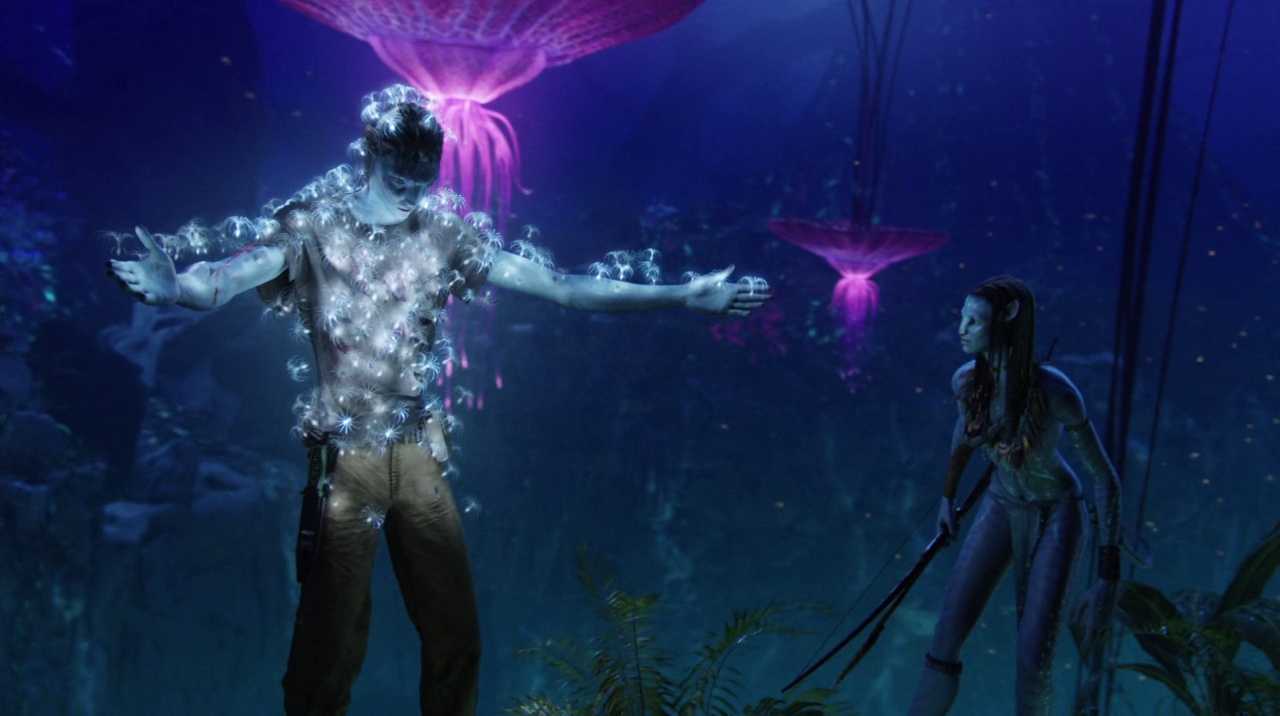
Digital Worlds: Avatar (2009) used CGI to create the floating mountains, glowing forests, and entire Na’vi species of the fictional planet Pandora.
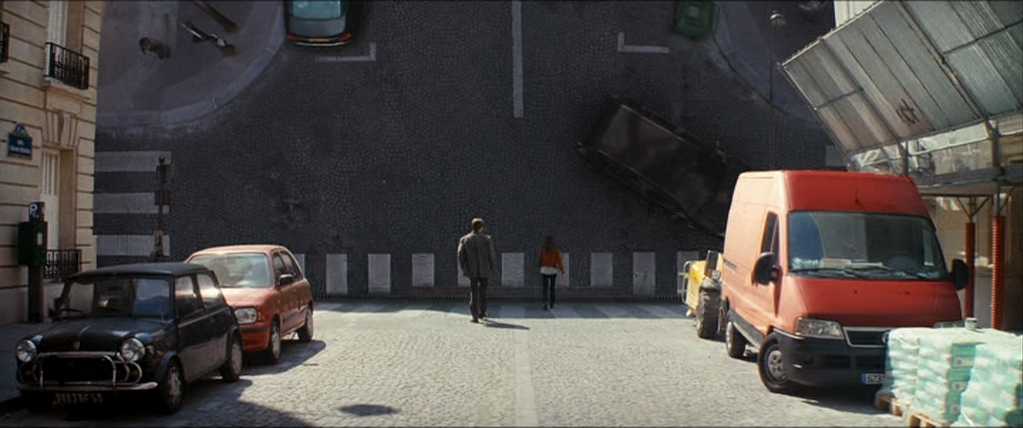
Visual Effects: Inception used CGI to fold city streets vertically, rotate entire hotel hallways during fight scenes, and collapse dream architecture like buildings breaking apart.
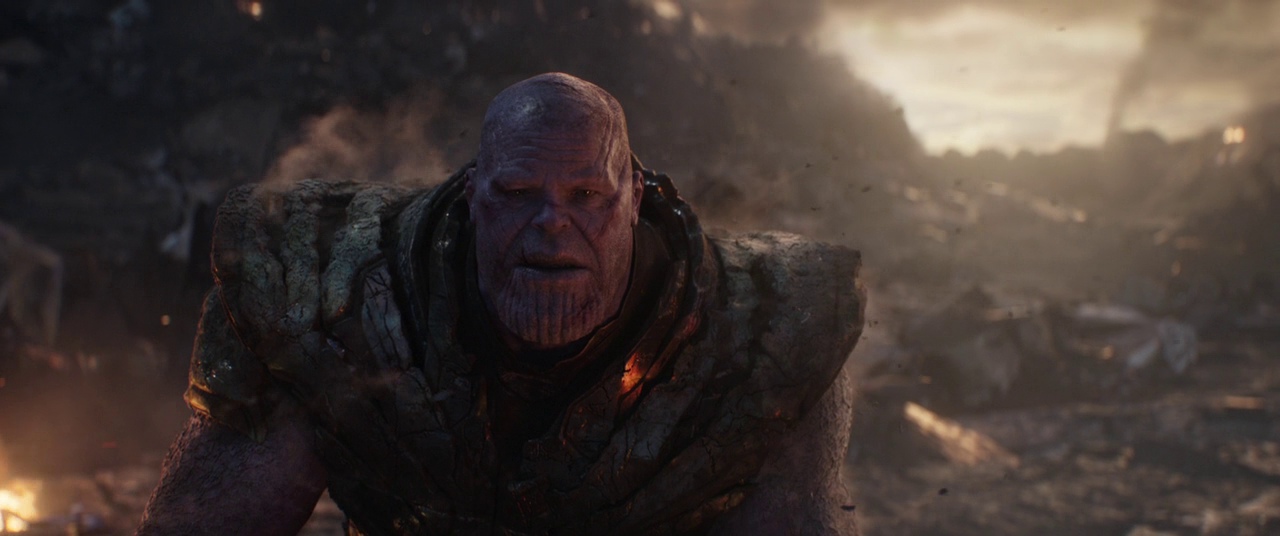
Digital Doubles: Thanos in Avengers: Endgame was built entirely in CGI using detailed motion and facial capture from actor Josh Brolin.
Actor Adjustments: In Captain Marvel, CGI was used to digitally de-age Samuel L. Jackson by 25 years for scenes set in the 1990s.

CGI vs Practical Effects
Filmmakers often choose between CGI and practical effects depending on the scene’s requirements. Some effects need physical interaction. Others benefit from digital control.
- Practical Effects: Created physically on set using makeup, prosthetics, models, or real stunts.
- CGI: Built digitally in post-production to show things like fantasy creatures, explosions, or large-scale simulations.
Many directors blend both. In Mad Max: Fury Road, real stunts and vehicles were shot on location, while CGI was used to add dust storms, enhance backgrounds, and amplify chaos. This kept the realism while adding scale.
Advanced Techniques and Limitations
CGI today uses powerful tools for realism, but it also has clear limits. Here are some advanced techniques, along with common challenges:
- Ray Tracing: A rendering method that simulates how light reflects, bends, and casts shadows in a scene.
- Physics Simulations: Used to animate hair, fire, smoke, water, or cloth in natural motion.
- Machine Learning: Helps automate facial expressions or background character animation for crowd scenes.
- Rendering Time: High-quality CGI often takes hours (or even days per frame to process, depending on complexity.
- Integration Problems: CGI can break the illusion if the lighting doesn’t match, shadows fall incorrectly, or edges don’t blend smoothly with real footage.
How You Can Use CGI
Even for short films or low-budget projects, CGI can solve practical problems and expand your creative range. You don’t need a Hollywood team, just clear planning and basic software.
- Plan Ahead: Decide during pre-production what will be filmed practically and what will be added in post, so lighting and camera movement can be matched.
- Use References: Track lighting direction, actor eyelines, and camera setups to help blend CGI later.
- Start Simple: Tools like Blender and After Effects can help you add muzzle flashes, sky replacements, or digital set extensions.
- Use It to Support: Let CGI add realism or flexibility, not distract from weak performances or poor direction.
Summing Up
CGI is a core part of modern filmmaking. It helps you build scenes that go beyond your resources and lets you show what can’t be captured on camera. Whether you’re crafting a full sci-fi world or just fixing a shot in post, understanding how CGI works gives you more control over the final image.
Read Next: Curious how visual effects are made?
Head to our VFX section for beginner-friendly breakdowns of CGI, compositing, green screen, motion capture, and other tools that bring the impossible to life in post.
Want to see how post shapes the final film? Explore the full Post-Production archive for editing, sound, color, and everything that happens after the cameras stop rolling.
