

Published: December 11, 2025

What is a lavalier microphone? Definition & Meaning
A lavalier microphone is a small clip-on microphone, usually a compact condenser, attached to clothing or hidden on the body so the capsule sits close to the mouth and records clear, consistent dialogue as the person moves.
Lavalier microphones are also called lav mics or lapel mics. You will see them in interviews, documentaries, TV, and narrative scenes that use wide framing or movement where a boom cannot stay close. If you want a broader overview of production sound tools and workflows, you can also explore Sound, Audio & Music.
Why lavalier microphones matter for dialogue
Dialogue quality often comes down to distance. When your mic sits close to the mouth, the voice stays strong, and the room stays quieter in your recording. A lav mic keeps that distance steady even when the actor turns, walks, or changes posture.
A good example is a wide two-person scene on a busy street. A boom has to stay higher and farther back to avoid the frame. Two lavalier microphones, one on each actor, can give you cleaner voice tracks you can balance in the edit.
How a lavalier microphone captures voice
Most lavalier microphones are small condenser microphones. A condenser capsule uses a thin diaphragm and a fixed backplate that acts like a tiny capacitor. When sound hits the diaphragm, the distance changes, and the capsule turns that movement into an electrical signal with more detail and sensitivity than many dynamic capsules at close range.
Because condensers need power, a lav usually runs on bias power (often called plug-in power) from a wireless bodypack, recorder, or camera adapter. Some lavs can also use small battery modules or phantom power through an XLR adapter. As long as the capsule has the correct power and sits near the mouth, you get a strong voice level and a quieter room in your recording.
Since the capsule sits close to the source, the voice stays louder than traffic, footsteps, or room reflections. You often need less noise reduction in post, and your dialogue cuts match more smoothly between takes. That consistency is a big reason lavs are a practical part of modern sound design planning.
Omnidirectional vs cardioid lavs
Lavs come in different polar patterns. The pattern controls how much surrounding sound the mic gathers and how precise your placement must be.

Many film and video lavs are omnidirectional. This pattern picks up sound from all directions. You do not need perfect aiming, which helps when the mic is hidden under clothing or when wardrobe shifts during movement.
Cardioid and supercardioid lavs focus more on what is in front of the capsule. They can reduce nearby noise, but they demand more careful positioning. If the capsule turns away from the mouth, levels and tone can change fast.
- Use an omnidirectional lav for most scripted scenes, hidden placement, and fast-paced shoots.
- Use a cardioid or supercardioid lav for louder environments where you can control placement and the actor’s movement.
Wired vs wireless lavs
The next choice is how the signal reaches your recorder or camera. Both options can deliver clean dialogue when placement and gain are right. Your decision usually comes down to movement and risk management.
A wired lav runs straight into a recorder, mixer, or camera. This setup is simple and stable. It works well for seated interviews and controlled sets where cables will not snag.
A wireless lav system uses a bodypack transmitter and a receiver. This gives you freedom of movement for walk-and-talks, stunts, and long blocking. It also adds battery checks and the risk of interference or dropouts.
- Choose wired when the subject stays in one area, and you want maximum reliability.
- Choose wireless when the scene needs freedom of movement and wide coverage.
RF bands and wireless lav systems
Not all wireless lav systems use the same radio band or transmission method. The band your kit uses affects range, latency, and which frequencies you are legally allowed to use in each country.
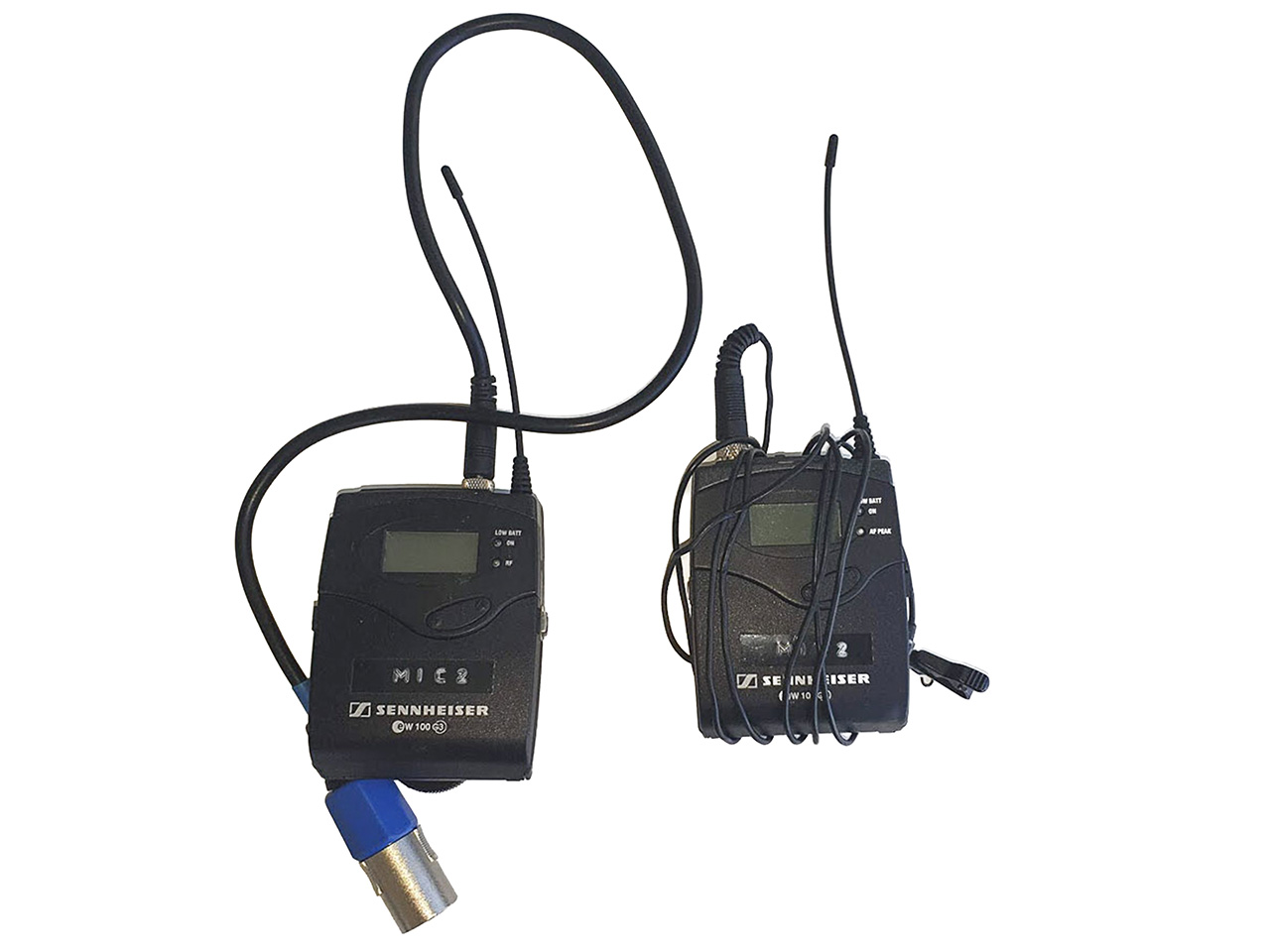
Analog UHF systems, such as many Sennheiser EW G3 and G4 sets, work in TV broadcast bands. They often give you long range and low latency, but some older blocks in the 600 MHz and 700 MHz area are now restricted or off-limits in many regions because regulators sold that spectrum to mobile networks.
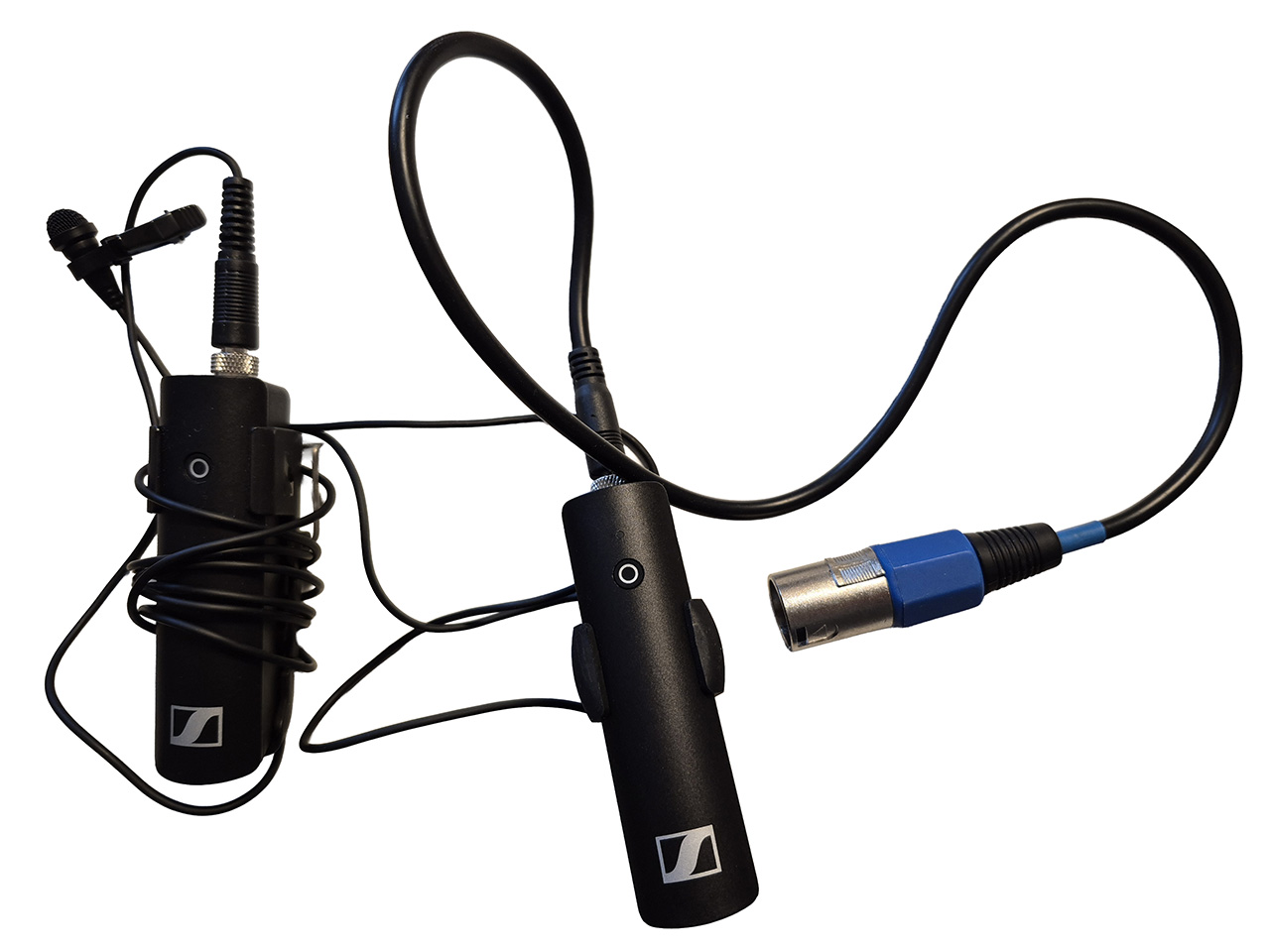
Digital 1.9 GHz systems, such as Sennheiser AVX-MKE2, use the DECT band. They handle frequency changes automatically and avoid some of the crowded UHF TV range. In trade, you get a different range of behavior and a little more latency.
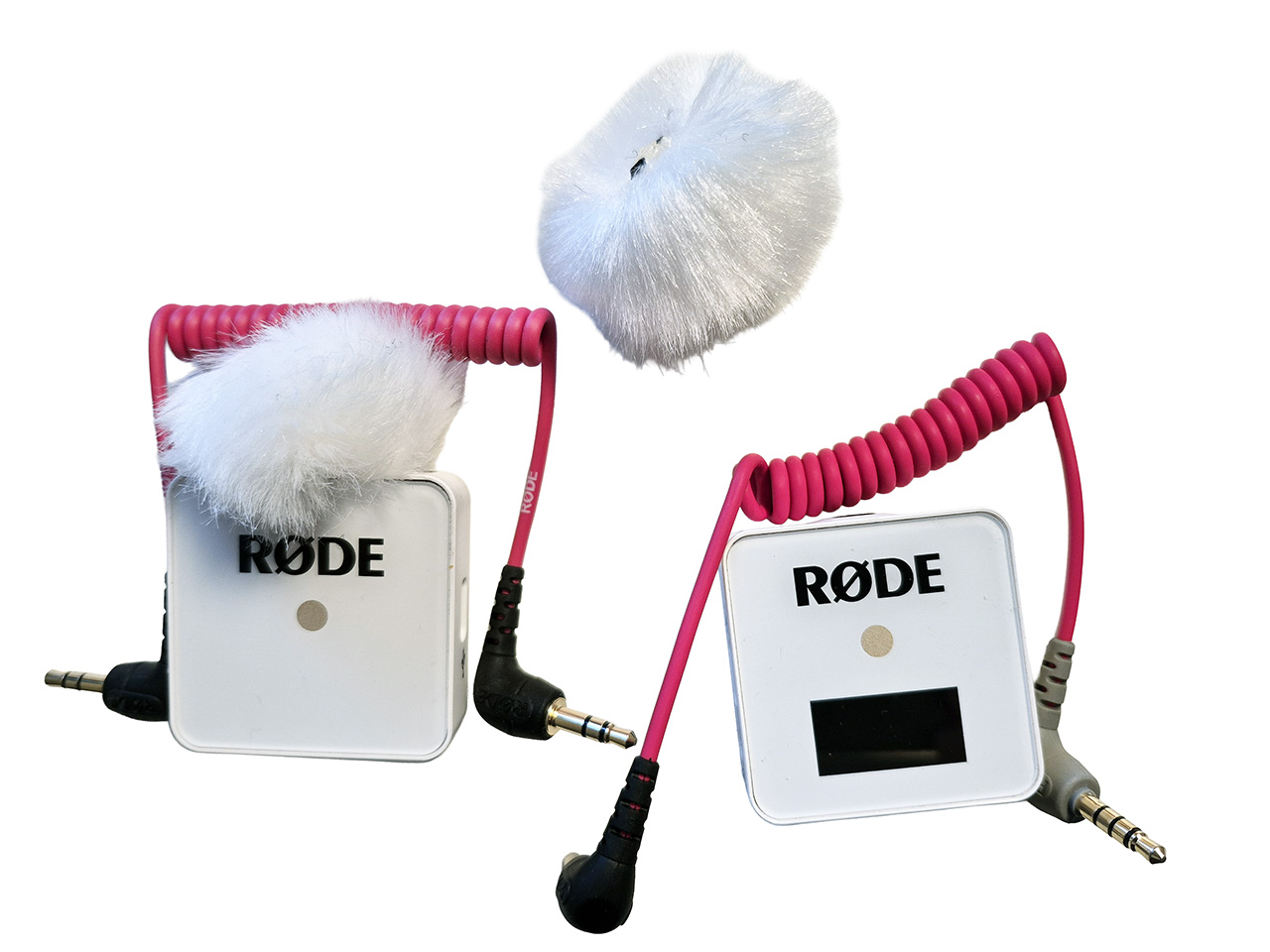
Digital 2.4 GHz systems, such as many RØDE wireless lavs, use the same general band as Wi-Fi and Bluetooth. They are very plug-and-play and can be used without a licence in most countries, yet they can struggle more in heavy Wi-Fi environments or through walls.
- If you buy UHF gear, check that the exact frequency block is still legal in your country and that you have enough clean channels on set.
- If you choose 1.9 GHz or 2.4 GHz digital systems, plan for slightly shorter practical range and test them in the real locations where you will shoot.
Frequency rules change over time and differ between regions. Before you invest in a wireless kit or turn it on at a location, check the current microphone frequency guidelines from your local regulator or a trusted audio dealer in your country.
Connectors and device compatibility
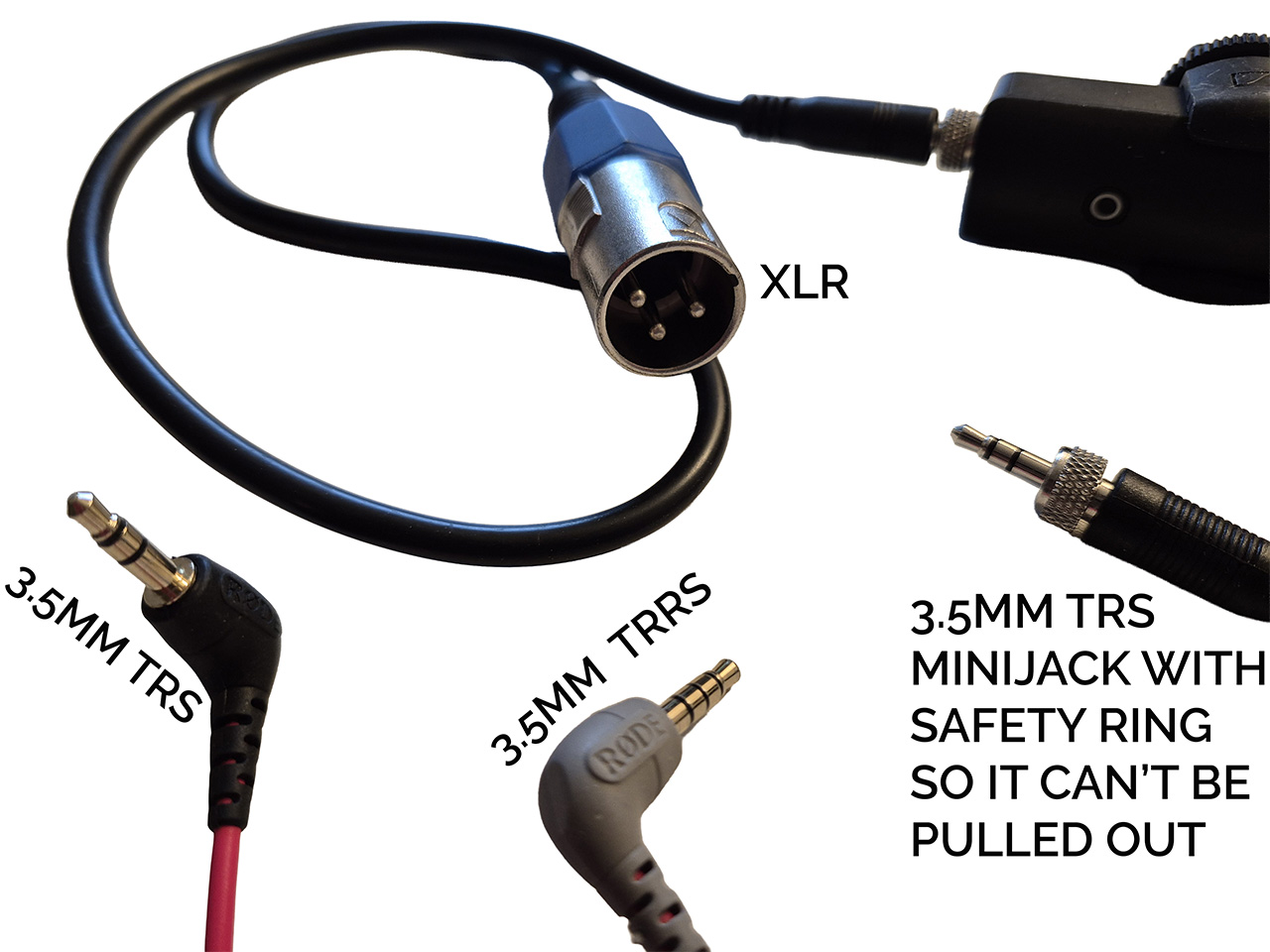
Connector mismatch can stop a lav setup even when the mic itself is fine. Do a quick gear check before production day. If you want a wider beginner-friendly walkthrough of mic choices and camera audio setups, see this audio guide for DSLR and mirrorless cameras.
- 3.5mm connectors are common for cameras and many portable recorders.
- TRRS connections are often used for smartphones.
- XLR is common for professional recorders and mixers.
- Wireless bodypacks may require brand-specific connectors or wiring.
Power can also matter. Some lavs rely on the small bias power provided by a camera input or bodypack. Confirm that your mic and device are designed for the same system.
Where to place a lavalier microphone
Placement is the main skill that separates clean lav audio from messy lav audio. You want a stable distance to the mouth and minimal friction with fabric.
A common starting point is the center chest area, about 15 cm to 20 cm below the mouth. Shirts, blouses, and ties often give you clean clip points near the sternum.
- Visible placement: Clip the mic near the sternum on the center line of the body.
- Hidden placement: Mount the mic under fabric with tape or a small concealer. Keep a small buffer so the capsule does not rub directly against clothing.
- Two-person scenes: Mic both actors when possible. This gives you stronger isolation and better control during cuts.
Concealing lav mics with a challenging wardrobe
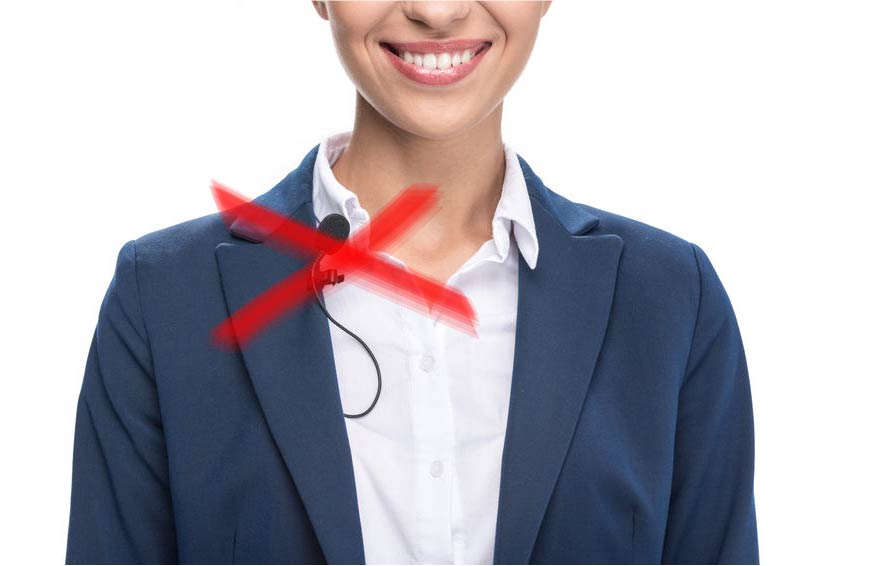
Wardrobe can change your plan fast. Tight clothing can press on the capsule. Loose layers can shift during walking, turning, or hugging. Your goal is a mount that stays stable through the exact movement the scene requires.
If you want specific low-cost concealment setups, you can use your existing guide on hiding a lavalier microphone under clothes.
How to reduce clothing rustle and wind
Clothing noise is the most common lav problem. The best fixes are physical. The capsule should have a little space and a soft barrier from the fabric.
- Use a small windscreen even indoors.
- Use a lavalier concealer or soft padding to create a small air pocket around the capsule.
- Avoid noisy fabrics such as stiff synthetics or leather when you have a wardrobe choice.
- Route and secure the cable so it cannot tug the mic during movement.
Record a quick test with the actor moving as they will in the scene. Listen on headphones and adjust before rolling a full take. If rustling ruins a key moment, a Foley artist may rebuild clothing movement and prop handling in post, and the actor has to be called in again for ADR, but it is always faster and cheaper to get clean production dialogue first.
Wireless reliability on modern sets
Wireless systems can sound excellent, but the environment affects your signal. A basic RF routine helps you avoid dropouts and unusable takes.
- Scan and choose clear frequencies when your system allows it.
- Keep a clean line-of-sight between talent and receivers when possible.
- Place receivers and antennas away from dense electronics.
If you are near large LED screens, do a quick walk test. The local RF environment can change how stable your signal feels.
Lav mic vs shotgun mic
These tools often work best together. A boom mic can deliver a natural, open tone in controlled interiors. Lavs can protect your dialogue in wide shots and busy locations where the boom must stay farther away.
- Choose lavs for wide frames, movement-heavy blocking, and crowded exteriors.
- Choose a shotgun on a boom for quieter spaces where you can keep the mic close just out of frame.
- Record both when possible. You gain flexibility during editing.
If you want a focused breakdown of boom use and directional pickup, your shotgun microphone guide fits naturally alongside lav technique.
Quick on-set lav checklist
This short routine covers the issues that most often ruin lav audio. Run it before each setup and after wardrobe changes.
- Check batteries in transmitters and receivers.
- Confirm connector compatibility with your recorder or camera.
- Secure the capsule and cable with a small strain relief loop.
- Monitor for rustle during real movement.
- Label tracks by actor.
Lavalier microphone pros and cons
Lavs solve specific production problems, but they introduce risks you must manage. These lists help you decide when a lav should lead your setup and when the boom should lead.
Pros
These benefits explain why lavs are common on fast shoots and movement-heavy scenes.
- Consistent dialogue level during movement and wide shots.
- Cleaner voice-to-room ratio than many distant mic setups.
- Small and discreet on camera when you must show the mic.
- Fast setup for interviews and run-and-gun schedules.
Cons
These drawbacks usually come from wardrobe friction and wireless conditions. You can reduce them with testing and careful mounting.
- Clothing noise risk, especially with hidden placement.
- Wireless dropouts or interference in busy RF locations.
- Less natural room tone compared with a well-placed boom in a quiet space.
- More gear on talent such as bodypacks and cables.
Summing Up
A lavalier microphone is a small, close-mounted mic that helps you record clean dialogue while keeping your framing flexible. Most lavs are omnidirectional, which makes them forgiving for hidden placement. Cardioid options can help when you need more isolation. Learn solid placement habits, plan for wardrobe, and test movement. You will get steadier dialogue and fewer surprises during wide shots and fast blocking.
Read Next: Want better audio in your film or video projects?
Explore techniques, tools, and workflows in the Sound, Audio & Music section for filmmakers.
From voice recording and field audio to scoring and mixing—this is where sound gets cinematic.
