
Published: May 19, 2026

Every cut you make in a dialogue scene is actually two decisions: when the picture changes, and when the audio changes. Classical continuity editing trains us to make both at the same time. The L-cut and J-cut are what happen when you pull those two decisions apart — and it is one of the most powerful tools a film editor has.
Neither the L-cut nor the J-cut appears anywhere in FilmDaft’s existing editing guides, which is an embarrassing gap for a site that covers editing technique. Consider this the correction.
What Is a J-Cut?
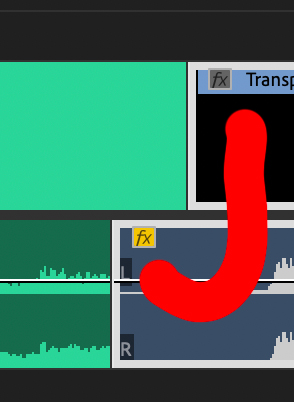
A J-cut is a split edit where the audio from the incoming scene starts before the picture cuts to it. You are watching Scene A, but you begin hearing Scene B. Then the picture cuts.
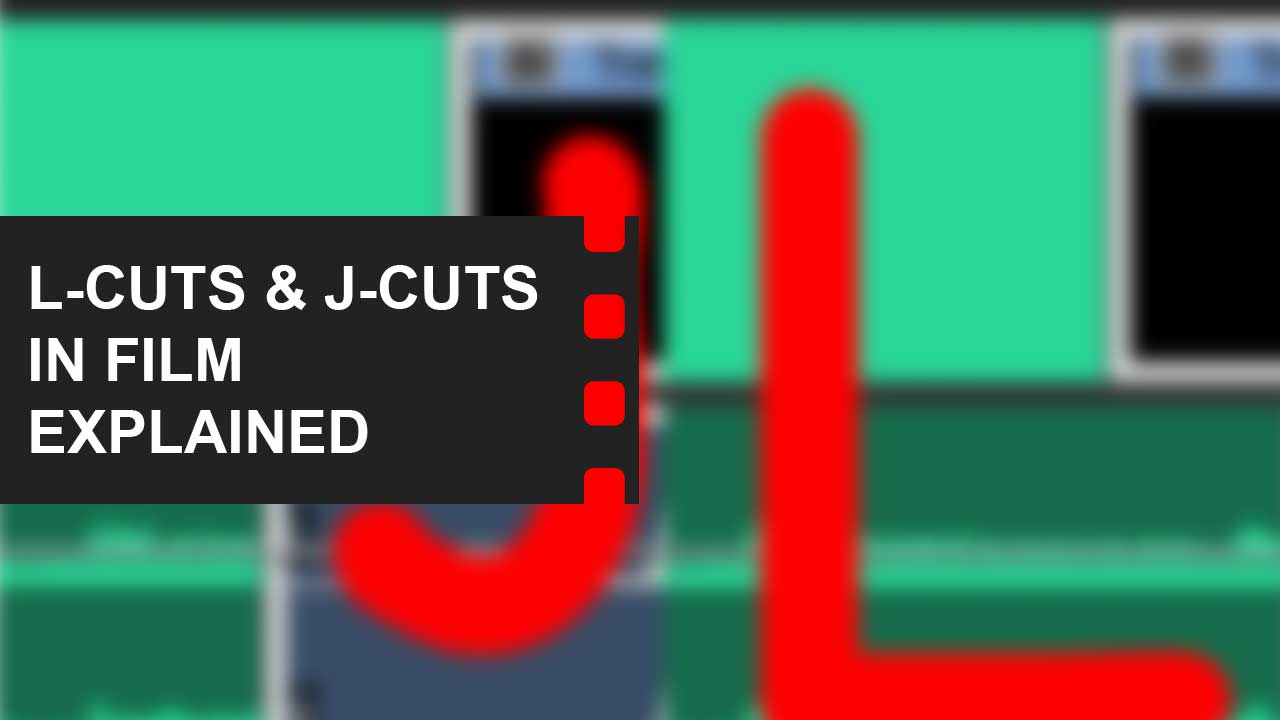
Visualised on a timeline, the audio track of the incoming clip juts out to the left beneath the outgoing clip — forming a letter J. The term comes from the physical shape the edit makes in a Moviola flatbed editing system, where the film and magnetic audio strips would literally form this shape when cut this way.
What it does psychologically: it prepares the audience for what is coming before they can see it. The brain has already begun processing the new scene before the eyes arrive there. This creates anticipation, or sometimes dread, depending on the sound.
What Is an L-Cut?

An L-cut is the inverse: the audio from the outgoing scene continues after the picture has already cut to the next scene. You are watching Scene B, but still hearing Scene A.
On a timeline, the audio track of the outgoing clip extends to the right beneath the incoming clip — forming a letter L.
What it does psychologically: it delays the audience’s full arrival in the new scene. Their ears are still in the old ones. This creates a moment of emotional overlap — the feeling that the previous scene is still happening, even though you have moved on visually. That overlap is extraordinarily useful in dialogue, memory sequences, and emotional transitions.
Why Professional Editors Use Them Constantly
The uncomfortable truth about straight cuts in dialogue is that they often feel robotic. When both picture and audio cut at the same moment in every exchange, conversations start to feel like tennis — the edit mechanically follows whoever is speaking. Real conversation doesn’t work like that. People react before they respond. They think while the other person is still talking. Their faces often tell the real story while their mouths are saying something else.
L-cuts and J-cuts restore this human complexity to edited dialogue. By keeping one element (audio or picture) in the old scene while the other has already moved on, the editor can choose exactly what the audience sees during any given moment of sound. That choice is where the real storytelling happens.
Famous Examples in Film
Below, I’ve picked some of my favorite examples of the use of L-cuts and J-cuts from film.
Apocalypse Now (1979) — Francis Ford Coppola / Walter Murch — L-cut
The opening sequence is one of cinema’s most powerful L-cuts. Superimposed images of napalm strikes and helicopters play over the jungle canopy, and as the image dissolves to Captain Willard lying in his Saigon hotel room, the sound of helicopter blades carries forward — merging with the slow rotation of the ceiling fan above his bed. The war footage is gone, but its sound lingers, drawing the memory of combat into the present moment. This was edited by Walter Murch, who is also credited with coining the term ‘sound design.’ He understood that when sound outlasts its source image, it stops being a transition and becomes a psychological state.
Saving Private Ryan (1998) — Steven Spielberg — J-cut
The film opens in a cemetery in the present day. As the camera holds on an elderly veteran’s face, the distant sound of battle begins — before the film cuts back to Normandy, 1944. The J-cut tells the audience something that the image alone cannot: that this old man carries everything you are about to see inside him, permanently.
The Godfather (1972) — Francis Ford Coppola / Peter Zinner — L-cut and J-cut
The baptism montage is one of the most studied editing sequences in cinema, and it depends on intercutting with L-cuts and J-cuts to function. The priest’s voice reciting the baptismal liturgy and the church organ music originate inside the cathedral — but they continue playing, uninterrupted, as the image cuts to assassins preparing and executing five simultaneous murders across New York. The audio stays rooted in sacred ritual while the visuals show profane violence. That is the L-cut at work: the sound of one scene carrying forward into the visuals of another.
The sequence also uses J-cuts in the opposite direction. The sharp sounds of gunfire and slamming doors begin creeping in under shots of the peaceful ceremony before we see the violence they belong to. The result is a moral architecture built entirely from the split between audio and image — and without those L-cuts and J-cuts bridging parallel scenes in different locations, the irony collapses.
Inception (2010) — Christopher Nolan / Lee Smith
Inception uses both cuts systematically throughout its dream layers. J-cuts let sound from one dream level bleed into another, creating the sensation that reality is unstable before the visual confirms it. L-cuts let conversations from waking life continue over the first moments of a dream sequence, implying that consciousness doesn’t have a clean off switch.
The Dark Knight (2008) — Christopher Nolan / Lee Smith — L-cut
The final minutes of The Dark Knight use a sustained L-cut to bind theme to action. Commissioner Gordon begins speaking to his son on the rooftop where Harvey Dent has just fallen: “He’s the hero Gotham deserves, but not the one it needs right now.” As Gordon’s voice continues, the image cuts away — first to the bat-signal being destroyed with an axe, then to Batman fleeing through the streets from the police on foot and on his Badpod. Gordon’s audio stays rooted on that rooftop, but the visuals move through three different locations. The L-cut holds the audience inside Gordon’s explanation of what Batman’s sacrifice means while simultaneously showing the consequences of that sacrifice unfolding. You understand both layers at once because the audio and the image are deliberately out of sync, which is exactly what an L-cut is for.
How to Use J-Cuts and L-Cuts in Practice
Understanding the theory is one thing. Applying it to your own edits is another. Below are three practical contexts where L-cuts and J-cuts will immediately improve your work — plus step-by-step instructions for executing them in Premiere Pro.
Dialogue Scenes: The Default Should Be L-Cuts
In any two-person dialogue scene, try defaulting to L-cuts rather than straight cuts. When Person A finishes speaking, cut to Person B’s face while Person A’s last word or two still plays out. You are now watching Person B react before they respond — which is where the real performance often lives. Most actors give their best moments in reaction, not in speech. The L-cut lets you use those moments.
Scene Transitions: Use J-Cuts to Pull the Audience Forward
When transitioning between scenes, a J-cut on the audio of the incoming scene creates a magnetic pull toward what comes next. This works especially well when the incoming sound is unexpected, threatening, or emotionally charged. The audience hears something before they understand what it means, which keeps them actively engaged rather than passively receiving.
Time Passage: L-Cuts Soften Hard Time Jumps
When cutting across significant time gaps, a hard, straight cut can feel clinical. An L-cut — where the audio from the earlier moment continues briefly into the new time period — creates a sense that the past is still present. This is particularly effective in memory scenes, montages, or any sequence where the emotional weight of what came before needs to follow the character into the next moment.
Practical Steps in Premiere Pro
Make your cut as a straight cut first. Get the pacing right before splitting audio and picture.
To create an L-cut: hold Alt (PC) or Option (Mac) and drag the audio clip of the outgoing shot to the right, extending it under the incoming picture clip.
To create a J-cut: hold Alt/Option and drag the audio clip of the incoming shot to the left, so it begins under the outgoing picture clip.
Adjust the overlap length. Start conservative — a half-second overlap in a dialogue scene is often enough. A two-second J-cut into a major sequence creates genuine anticipation.
Watch the sequence without looking at the timeline. If you can feel the overlap but not see it, it is working.
The Difference Between an L-Cut and a Sound Bridge
A sound bridge is the broader category: any use of sound to connect two otherwise separate scenes. An L-cut and a J-cut are specific types of sound bridge, defined by their direction (audio leading or lagging picture). Understanding the distinction matters because some sound bridges involve music or ambient sound rather than dialogue, which follow slightly different rules than the dialogue-based cuts described above.
Common Misidentifications to Avoid
L-cuts and J-cuts are among the most frequently misidentified techniques in film analysis. The confusion almost always comes from the same source: mistaking standard within-scene editing for a split edit that crosses a scene boundary. Here are the errors I see most often.
Shot-Reverse-Shot Is Not an L-Cut
In a typical dialogue scene, the camera cuts between two speakers. When Person A speaks, and the editor cuts to Person B’s reaction while Person A’s voice continues, that looks like an L-cut on the timeline — but it is not one. Both speakers are in the same scene, in the same location, at the same time. The audio and picture never cross a scene boundary. This is standard shot-reverse-shot coverage, and every dialogue scene in every film uses it. Calling it an L-cut dilutes the term until it means nothing.
Off-Screen Dialogue Is Not a Split Edit
When a character speaks from off-screen while the camera shows the listener’s reaction, that is diegetic sound — sound that exists within the world of the scene. The speaker is still present in the same room. The audio has not carried over from a different scene. A true L-cut or J-cut requires the audio to belong to one scene while the picture shows another.
The Test That Always Works
Ask yourself: does the audio come from a different scene than what I am seeing on screen? If the answer is yes — the sound originates in one time, place, or narrative context, and the image belongs to another — you have a J-cut or an L-cut. If the audio and the image both belong to the same scene, you have standard coverage, no matter what the timeline looks like in your editing software.
Related Reading: Jump Cuts Explained | What is Continuity Editing? | Scene Transitions in Film
Summing Up
The L-cut and J-cut are how professional editors separate the twin decisions of “when does the picture change” and “when does the audio change.” The J-cut prepares the audience for what they are about to see by letting them hear it first. The L-cut holds the audience in an emotional moment even after the camera has moved on. Together they represent one of the most consistently underused techniques in non-professional editing — and one of the most consistently used techniques in films that feel genuinely alive. Every dialogue scene you cut is an opportunity to use them. Most editors do. Now you can too.
Read Next: Want to sharpen your editing instincts?
Start with our breakdown of the different types of video editing and learn how each approach shapes tone and flow.
Then explore how film cuts function as visual punctuation, or how scene transitions control time, emotion, and rhythm.
Still curious? Browse the full Editing section for techniques, examples, and theory.
