

Published: August 18, 2020 | Last Updated: July 3, 2026

The best camera image stabilization is 5-axis image stabilization, which takes advantage of both in-body image stabilization (IBIS) and the optical image stabilization (OIS) found on the lens. The conjunction of IBIS and OIS allows you to use longer lenses and slower shutter speeds of up to 6-7 stops.
Let’s dive into this in more detail below.
The benefits of Image Stabilization

Camera-based image stabilization, instead of stabilization tools such as gimbals, Steadicam, Glidecams, and sliders, is excellent for reducing shakes and micro jitters when shooting handheld. Image stabilization in hybrid cameras such as DSLRs and mirrorless systems is a lifesaver for the run-and-gun videographer.
Image stabilization can distinguish between usable, professionally-looking footage and unusable footage, especially when shooting handheld.
Also, camera-based image stabilization, such as IBIS and OIS, allows you to shoot handheld with longer lenses with great results. As an example, I own a Panasonic Leica 100-400mm for my GH5 (the equivalent of 200-800mm on a full-frame sensor), and I can easily use this handheld lens at 400mm to capture both smooth video and unblurry photos.
Another benefit of camera stabilization is that you can use longer shutter speeds. This is especially great if you want to shoot handheld in low-light conditions, as you can keep the shutter open for longer and thus let in more light. Thus, image stabilization can help you produce cleaner-looking images with less noise in the shadows in low-light conditions.
Also, image stabilization, and OIS in particular, benefit the autofocus system in your camera. This is especially true for low-light or low-contrast situations because autofocus works more accurately when the image hitting the sensor is already stabilized.
IBIS vs OIS vs EIS at a Glance
| Type | What moves | Best for | Trade-off |
|---|---|---|---|
| OIS (Optical) | A floating element inside the lens | Telephoto and long lenses; smooth video panning | Built into each lens, so it adds to lens cost |
| IBIS (In-Body) | The camera’s sensor | Working with any lens, including old or unstabilized primes | Less effective at very long telephoto focal lengths |
| EIS (Electronic) | Software crops and warps the frame | Action cams, phones, and run-and-gun video | Crops into the frame and can introduce artifacts |
Electronic Image Stabilization – or EIS.
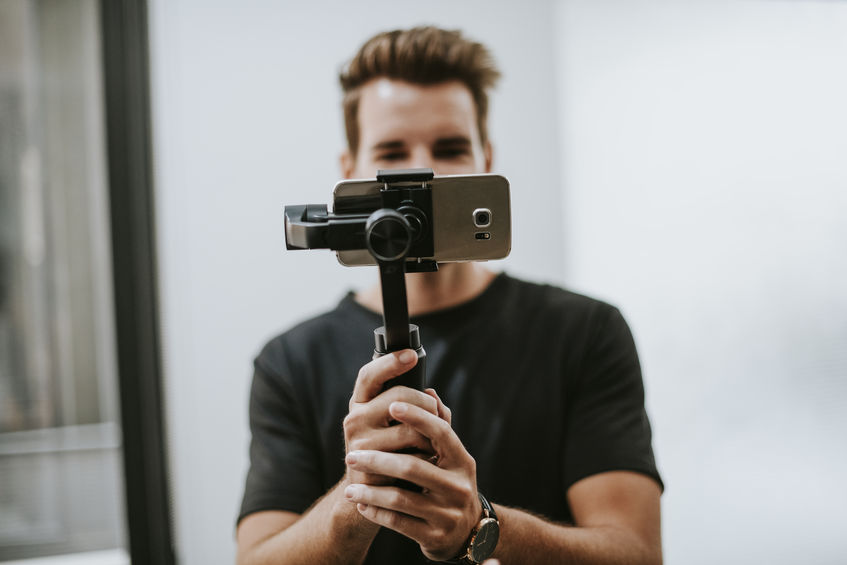
Electronic Image Stabilization (EIS) is a digital type of stabilization that uses in-camera software to stabilize video footage in real-time while photographing or recording it. EIS is often the only stabilization type in smartphones and action cameras like GoPros.
The image must be cropped because EIS uses software algorithms to stabilize your footage. This, in turn, means that your footage can end up grainy, as it is cropped and then scaled up to fit the current resolution you’re filming in.
In that sense, EIS is comparable to image stabilization in editing programs like Adobe Premiere Pro and Final Cut. The only real difference is that EIS works in real-time when you use the camera, while a stabilizer plug-in like the Warp Stabilizer found in Premiere Pro works in post-production. Stabilizing plug-ins used in post-production often yield better results due to better algorithms and more processing power.
Gyro-EIS — when EIS uses gyroscope data
Not all electronic stabilization works the same way. Some cameras use built-in sensors to track motion in real time and apply smarter corrections. That’s called Gyro-EIS.
Gyro-EIS is a digital stabilization method that uses data from a gyroscope to track how the camera moves while recording. It then uses that data to digitally smooth out the video during or after capture.
How Gyro-EIS works
Instead of analyzing the video frame-by-frame to guess camera shake, Gyro-EIS records motion using a gyroscope. That motion data is then used to guide how the video is stabilized.
- The gyroscope tracks camera movement in real time — shake, tilt, roll, or rotation.
- The image sensor captures the video as normal.
- Motion data is stored alongside the video or embedded in the file.
- Stabilization software uses that data to shift and crop each frame to counteract movement.
Why Gyro-EIS matters
Gyro-EIS improves on basic EIS by being more precise. Since it doesn’t rely on video analysis alone, it’s better at handling quick or shaky motion.
- Uses real sensor data for more accurate stabilization.
- Works well in small devices like phones, drones, and action cams.
- No moving parts, so it’s lighter and more durable than optical systems.
- Still requires cropping the image, which reduces the field of view.
- Doesn’t help with motion blur during exposure — only frame positioning.
Where Gyro-EIS fits in
Gyro-EIS is ideal when you need stabilization but don’t want extra gear. It works well in mobile setups where space and weight matter.
You’ll find it used in:
- Action cameras (like GoPro or DJI)
- Smartphones with built-in EIS
- Drones and compact mirrorless cameras
- Post-production tools like Gyroflow and ReelSteady
It’s not a full replacement for mechanical systems like IBIS or OIS, but it’s a flexible option for handheld or on-the-go shooting where portability is key.
Optical Image Stabilization – OIS
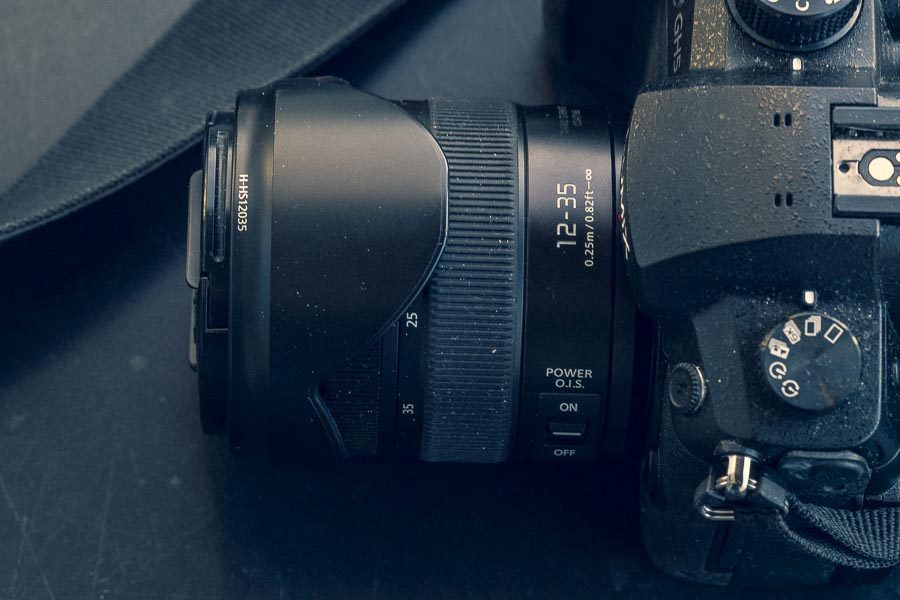
Optical Image Stabilization is a type of stabilization built into the lens. That means that the image is stabilized before the light hits the sensor. OIS works by suppressing micro jitters and bigger shakes, usually due to an in-built gyro sensor in the lens.
Also, when you look through the viewfinder on a mirrorless camera or at the LCD screen, the image you see is the stabilized version. In other words, what you see is what you get.
Depending on the brand of camera you own, OIS might be referred to by another term:
- Canon: Image Stabilization (IS)
- Nikon: Vibration Reduction (VR)
- Panasonic, Lumix, and Leica: POWER O.I.S.
- Sigma: Optical Stabilization (OS)
- Sony: Optical SteadyShot (OSS)
- Tamron: Vibration Compensation (VC)
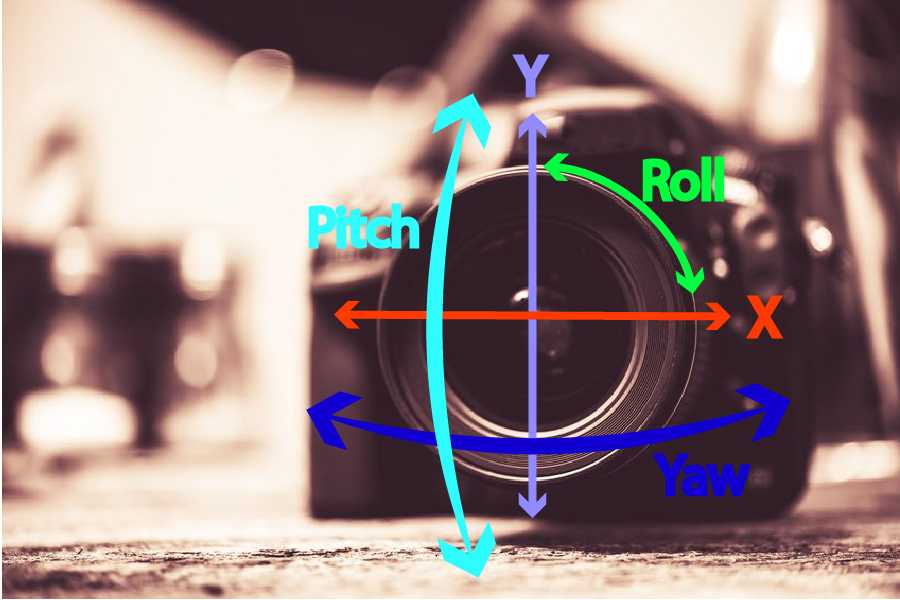
The amount of axis OIS that can be stabilized depends on the lens technology. Most OIS systems will only combat shakes on the horizontal and vertical axis, i.e., pitch and yaw, while other hybrid systems can work with IBIS for 5-axis stabilization.
In-Body Image Stabilization – or IBIS
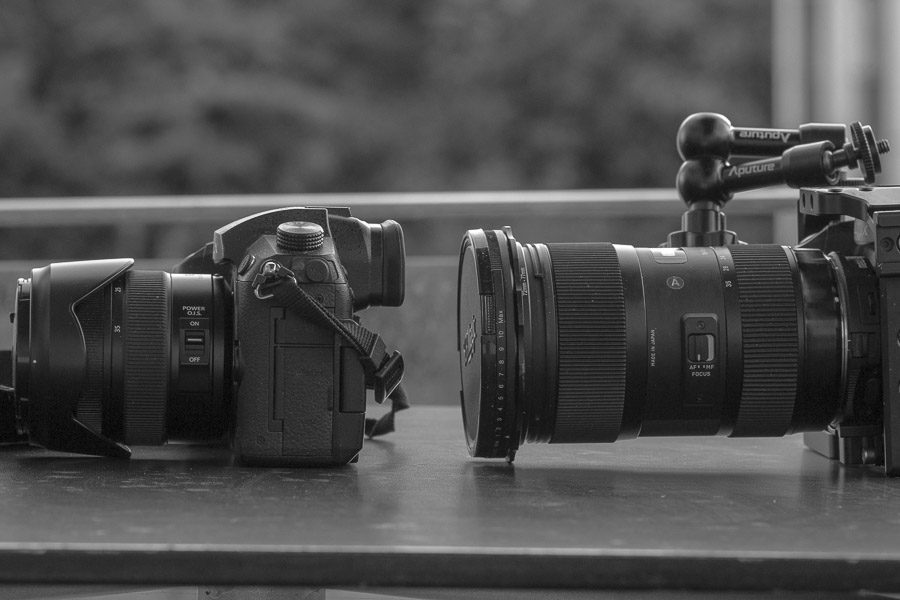
In-body Image Stabilization, a.k.a. IBIS, works by having the sensor float inside the camera. Because of this, this technology is sometimes called sensor shift or mechanical image stabilization.
Because the sensor can move in the camera body, it can help combat shaking footage when the camera is moved around. The amount of shaking IBIS can combat is limited to the amount the sensor can move within the frame it’s attached to.
This is where Dual IS comes in handy. It takes advantage of both OIS and IBIS. The OIS can help reduce some of the shakes before the IBIS kicks in to take care of the rest, at least to a certain degree.
If the footage is still too jittery, you might have to use a tool such as the Warp Stabilizer in Premiere Pro, a gimbal, or a Glidecam.
The cool thing about IBIS compared to OIS is that it can make stabilization available on lenses that aren’t stabilized. So, if you want to throw an old Canon FD lens on your mirrorless camera, you can use IBIS to capture great-looking stabilized footage.
Because the sensor can shift its angle and position inside the camera, IBIS can compensate for 5-axis movement and shaking.
5-axis image stabilization explained
The Olympus OM-D was the first camera with a good working 5-axis IBIS. As you can see in the video and the photo at the beginning of this article, 5-axis IBIS helps reduce shakes for movement on the horizontal plane (X), the vertical plane (Y), and Roll, Yaw, and Pitch.
In other words, 5-axis image stabilization allows you to capture steady footage no matter how you move the camera. When 5-axis IBIS works with OIS, the magic happens, and you get the maximum benefit of modern image stabilization today.
Summing Up
Even though many DSLR and mirrorless hybrid cameras today have good image stabilization, this technology can only do so much.
Sometimes, you need that extra help to get a smooth take. That’s when things like sliders, gimbals, and Glidecam-type stabilizers come in handy.
When you choose to use one of those tools, remember to always turn off your camera’s stabilization. Otherwise, your camera’s stabilization might try to combat the movement from your gimbal or slider, and you’ll end up with weird results.
IBIS vs OIS FAQ
What is the difference between IBIS and OIS?
OIS (optical image stabilization) stabilizes by shifting a floating element inside the lens, while IBIS (in-body image stabilization) shifts the camera’s sensor. OIS is built into each lens; IBIS works with any lens you mount.
Is IBIS or OIS better?
Neither is universally better. IBIS is more versatile because it stabilizes any lens, including old unstabilized ones, while OIS tends to perform better on long telephoto lenses, where moving the sensor becomes less efficient.
Does IBIS work with any lens?
Yes. Because the stabilization lives in the camera body, IBIS stabilizes any lens you attach — including vintage or budget lenses that have no stabilization of their own. That is one of its biggest advantages over OIS.
Can you use IBIS and OIS at the same time?
Yes. Many modern cameras offer “Dual IS,” where the in-body and in-lens systems communicate and work together, giving measurably better results than either one alone.
What about EIS — is it as good?
EIS (electronic image stabilization) works in software by cropping and warping the frame. It is great for lightweight action cams and phones, but it sacrifices some image area and can add artifacts, so it is generally less clean than optical or in-body stabilization.
