

Published: September 4, 2025

What is an F-Stop in Photography?? Definition & Meaning
An f-stop is a number that shows the size of the aperture opening as a ratio of the lens’s focal length to the diameter of its entrance pupil; it controls how bright the image is and how much of the scene appears in focus.

The term “f-stop” comes from the fact that the “f” stands for the focal length. When you set your lens to f/4, you are telling the camera that the diameter of the opening is one-quarter of the focal length.
For example, an 80 mm lens at f/4 has an opening roughly 20 mm wide. Because f-numbers are fractions, lower numbers mean wider openings; f/2 lets in more light than f/8.
Stops and the Aperture Scale

Photographers talk about “stops” because early lenses used plates to stop light at set intervals.
Each stop either doubles or halves the light reaching the sensor. The standard aperture scale lists f/1.4, f/2, f/2.8, f/4, f/5.6, f/8, f/11, f/16 and f/22. Moving from f/2 to f/2.8 halves the light; moving from f/8 to f/5.6 doubles it.
Variable vs fixed apertures
Lenses have physical limits: the largest opening is the maximum aperture, often written in the lens name (like 50 mm f/1.8).
Read more on how camera lenses work.
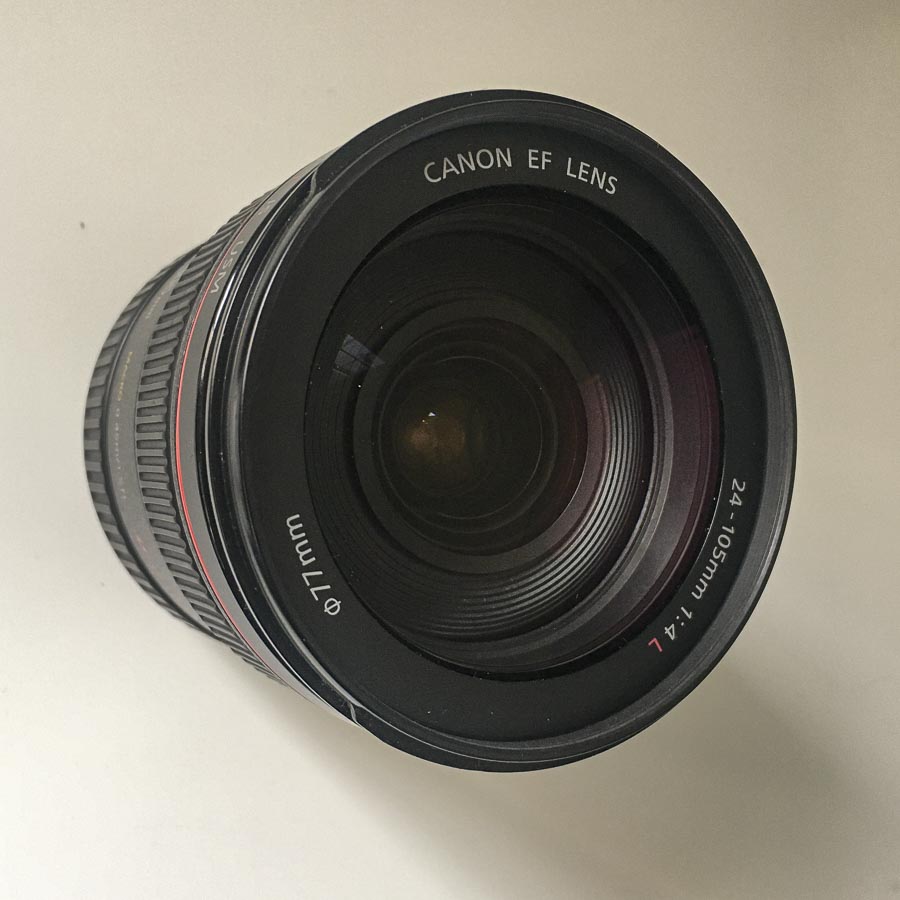
Zoom lenses may have a variable maximum aperture, such as f/3.5–f/5.6, which means the widest opening gets smaller as you zoom in. But many zoom lenses also have a fixed aperture, which usually makes them the more expensive choice.

Prime lenses, which have a fixed focal length, often offer wider maximum apertures.

A wider maximum aperture collects more light and can cost more, but is useful in low-light settings. The smallest opening, or minimum aperture, is typically around f/16 or f/22, which limits how much you can stop down.
How F-Stops Control Light
Because f-stop numbers are fractions, changing from one stop to the next doubles or halves the amount of light entering the camera.
A low f-stop like f/2.0 opens the lens wide and lets in lots of light, which helps when shooting indoors without increasing ISO or slowing the shutter.
A high f-stop like f/16 narrows the opening and reduces light, which is useful under bright sun or when you need a long exposure.
Knowing that each full stop halves or doubles the light makes it easier to balance exposure quickly: if you “stop down” from f/4 to f/5.6, you must slow your shutter or raise your ISO to keep the brightness the same.
How F-Stops Affect Depth of Field
The f-stop also determines how much of your image stays sharp. Wide apertures such as f/1.8 produce a thin depth of field; only your subject may be in focus, while the foreground and background blur.
Portrait photographers often work at these settings to isolate a person from the background. Small apertures like f/11 or f/16 create a deep field of focus that keeps most of the scene sharp.
Landscape photographers use these and the lens’s hyperfocal distance to ensure both the foreground and distant mountains are clear.
This relationship between f-stop and depth of field is why the aperture setting shapes the look of a shot more than any other exposure control.
Choosing F-Stops for Different Scenes
To pick the right f-stop, think about how much light you have and how much of the scene you want sharp.
For low-light portraits, use a wide setting between f/1.2 and f/2.8 to let in more light and blur the background. A 50 mm lens with a wide aperture is an affordable way to start.
For street scenes or group shots, mid-range apertures between f/4 and f/8 provide a balance of light and depth, keeping people at different distances in acceptable focus while still allowing handheld shutter speeds.
When you want everything sharp, such as in landscapes or product photography, stop down to f/11 or smaller; small apertures provide a broad depth of field.

Remember that aperture is one corner of the exposure triangle. If you widen the aperture to brighten a scene, you may need to use a faster shutter or a lower ISO.
Also, if you want to use a wide aperture and a low shutter speed to get that nice bokeh in bright conditions or maybe capture a silky waterfall, you’ll need to put “sunglasses” on your lens, i.e., use an ND filter.
What is the Aperture Priority Mode on a Camera?
Aperture priority mode lets you control the look of your shot without worrying about exposure. You choose the aperture, and the camera takes care of the shutter speed. This is useful when you want to control depth of field. The camera adjusts the shutter to match your choice so the photo doesn’t end up too dark or too bright.
Say you’re taking a close-up portrait. You set f/2.8 to blur the background. The camera picks 1/250s to keep the lighting correct. Then you take a group photo. You switch to f/8 for more sharpness. The camera slows the shutter to 1/60s to match the smaller opening.
You pick the look. The camera evens out the light.
Summing Up
You adjust the f-stop every time you want to control light and focus. Understanding the aperture scale lets you predict how changes will affect your photo. Knowing your lens’s maximum and minimum apertures helps you plan for low-light scenes or deep-focus landscapes.
When you pair the right f-stop with appropriate shutter speeds and ISO, you control exposure and style rather than letting the camera decide for you. Keep practising with aperture-priority mode to see how different f-stops change your images. The more you experiment, the faster you’ll know which setting suits each shot.
Read Next: Want to level up your photography skills?
Explore our Photography section for guides on lighting, composition, camera settings, and creative techniques across genres like portrait, landscape, and street.
Whether you’re shooting on a mirrorless camera or your phone, you’ll find sharp, practical tips to take more intentional and creative photos.
Also check out our Visual Composition section, with deep dives into framing, color psychology, and visual art history—key tools for any photographer thinking like an image-maker.
