
Published: November 8, 2020 | Last Updated: October 22, 2025

Creating consistently on YouTube without a crew isn’t easy. But trust me, you don’t need a team to make sharp, creative content that builds an audience. I’ve shot solo in cramped apartments, on chaotic event floors, and in quiet parks with just a tripod and a mic. You probably have too. This list is built for you—whether you’re a filmmaker, videographer, or solo content creator with a camera, some skills, and a need to stay productive.
Here are 16 video ideas that actually work when you’re doing everything yourself.
1. Channel Intro

Shoot a cinematic intro that quickly shows your personality, niche, and what viewers can expect. I recommend a mix of talking head and b-roll. You can even shoot yourself walking into frame and syncing to voiceover. Keep it 30–60 seconds.
Want a great example? Look at Peter McKinnon’s channel intro—tight, visual, personal.
2. Vlog with Intent
Vlogging gets a bad rap, but it’s powerful when it’s focused and well-shot. Show how you prep for a shoot, set up lights, or scout a location. You’re not just showing your day—you’re showing your process.
You can vlog pretty much anything—simple video ideas are key here. If you have loyal subscribers, they’ll be interested in everything you do as a vlogger!
3. Gear Reviews (That You Actually Use)
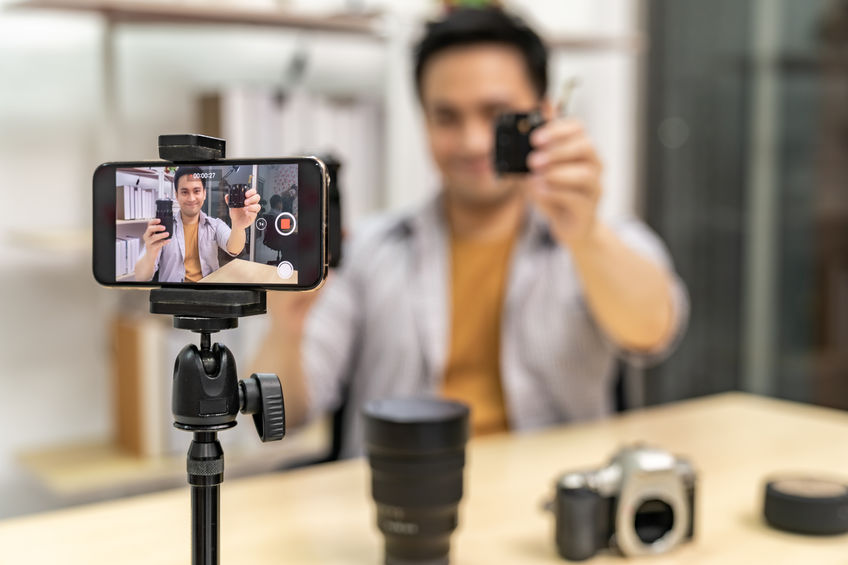
Review videos are extremely popular and the perfect choice if you’re searching for simple video ideas.
Skip the sponsored fluff. Just grab a lens or mic you use constantly and explain why it matters in your setup. Show test footage, talk about price vs. value, and include real pros and cons. You don’t need to cover everything—just keep it honest.
4. Explainer Video
What is your channel all about? Do you have a product or service to talk about? A brief explainer video is a great way to clarify common questions and give viewers some background information. Or to explain something technical about camera gear. It can also advertise your company, product, or service!
YouTube videos can be linked and shared across many different types of social media, so you can put your explainer video up on multiple platforms to engage with your audience.
5. Tutorial or Walkthrough
A tutorial is another idea that works for any channel. Teach something simple but specific: how to shoot a talking head with natural light, how to use a zoom lens for dynamic coverage, or how to hide a lav mic. If you do it regularly, film it and teach it.
Frame it around real-world examples like “How I Shot This Interview with One Light.” Use diagrams or overlays to show your setup.
6. Q&A or AMA
If you’ve built even a small audience, people will probably ask you things. Collect questions from comments, IG stories, or DMs. Keep your answers real and personal. You can even shoot it documentary-style: different setups, one question per scene.
7. Mini-Doc
Tell a short story in under 5 minutes. You could film a day in the life of a fellow creative, explore a niche topic, or just frame something ordinary with great visuals and sound. Don’t overthink it—just make it cinematic.
8. One-Minute Cinematics
These are great for platforms like YouTube Shorts, Instagram Reels, or TikTok. Think mood pieces: foggy forests, neon city lights, sunset close-ups. Pick a track and edit tightly. You’ll sharpen your instincts and build a visual reel over time.
Treat these as creative sprints—30 minutes to shoot, 60 minutes to cut, post by end of day.
Brandon Li’s Bored Filmmaker Challenge has some good ideas, you can try out:
9. Sound & Music Tests
Grab a royalty-free music track, then shoot footage to match the tone. Try fast cuts, slow reveals, sound design overlays. Use it to build your motion + audio chops.
10. Lighting Challenges
Pick one light (or a single window) and show how many looks you can get. Talk through your settings. These make great solo tests, and people love learning through constraint.
If you want inspiration, look at these creative lighting setups done in the same room—they are simple, but inspirational:
11. Editing Process Video
Screen record your workflow as you edit a video and add voiceover commentary afterward. You could discuss color grading, sound balancing, or multicam syncing—whatever you’re doing anyway.
Here’s one I created with tips on how to key out tries and skies, which can be tricky:
12. Favorite Tools Breakdown
Pick five tools you can’t live without—gear, software, accessories, even habits. Just be real about what makes your shoots smoother or your edits faster.
For example, I swear by my Tilta mini clamp, a $20 light stand, and a $5 lens cloth. Add one unexpected thing to make it memorable.
13. Short Film Teaser
Shoot a teaser or scene from a short film you’re working on. Keep it visual and compelling. It doesn’t have to be finished—just good enough to grab attention and build interest. Here’s one I did for my shortfilm VECT0R:
You can even turn it into a multipart breakdown: teaser > scene lighting > edit walkthrough.
14. Script-to-Screen Example
Film a short scene, then show how the script breaks down into shots. This works great for both narrative filmmakers and commercial creators—you can break down a dramatic scene or a branded promo with equal clarity. Add overlays or picture-in-picture breakdowns.
If your script’s rough, show how you revise on set.
15. Commentary Track
Watch one of your old videos and record your reaction or commentary. Talk about what you’d do differently, what worked, and what gear or tricks helped you get the look.
Use screen-in-screen and cut-ins of your reaction to make it fun.
16. Channel Recap / Lookbook
Pull your favorite moments into one high-energy montage. Add stats, reactions, quotes, behind-the-scenes footage. It works as a portfolio and keeps your energy up during slower production weeks.
Add a call to action like “New to the channel? Start here.”
The Bottom Line
Creating alone doesn’t have to feel small. The trick is working within your limits while using every creative tool. If you shoot, edit, and plan with purpose, every video becomes a step forward in skill, style, and what you can offer next.
Read Next: Explore More Videography Tips
Want to sharpen your solo shooting, editing, and client work? Browse the full Videography section for hands-on techniques, gear advice, and workflow ideas built for working videographers.

I have been a content creator on YouTube since 2011. This was very refreshing to read. Thank you.
Hi Kay.
Thank you for your comment. I’m glad you found it useful.
Have you checked out this one as well? https://filmdaft.com/successful-youtubers-speak-out-what-i-wish-id-known-before-starting-my-youtube-channel/
There’s a lot of information from YouTube content creators just like you.
Best, Jan
Wow, I’m loving all these ideas! I’ve been struggling to come up with new content for my channel and this post has given me so many inspiration! Thanks for sharing!